screen
map ..................................................................(current page)
screen
menu ................................................................(current page)
4
ENG_UD16627_3
NFA/ Description générale (XNX - NFA - Renault)ENG_NW_859-3_TTY_Renault_0
GENERAL DESCRIPTION (2/3)
Displays
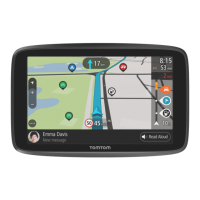
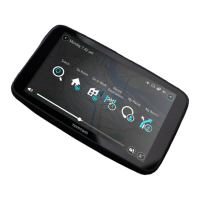
Menu screen
A Menu name
B Sub-menu name
C Menu page scroll bar
Map screen
D Navigation maps
E Indication of the next navigation in-
struction (road sign)
F Traffic information
G Clock
H Instructions for navigation and dis-
tance to next change of direction
I Estimated arrival time and total re-
maining distance
J Exterior temperature
K Current location
L Audio information (depending on the
vehicle)
Note:
at any time you can access the
map screen by pressing the MAP2D/3D
button on the remote control or the cen-
tral control.
If you have just modified a parameter,
remember to confirm it using the soft
buttons before returning to the map
screen.
Use night
colors
Show POI
on map
Safety pref-
erences
Preferences 1 of 5
Voice prefer-
ences
Turn off
sound
Manage
Favorites
BA
C



 To Next Page