18
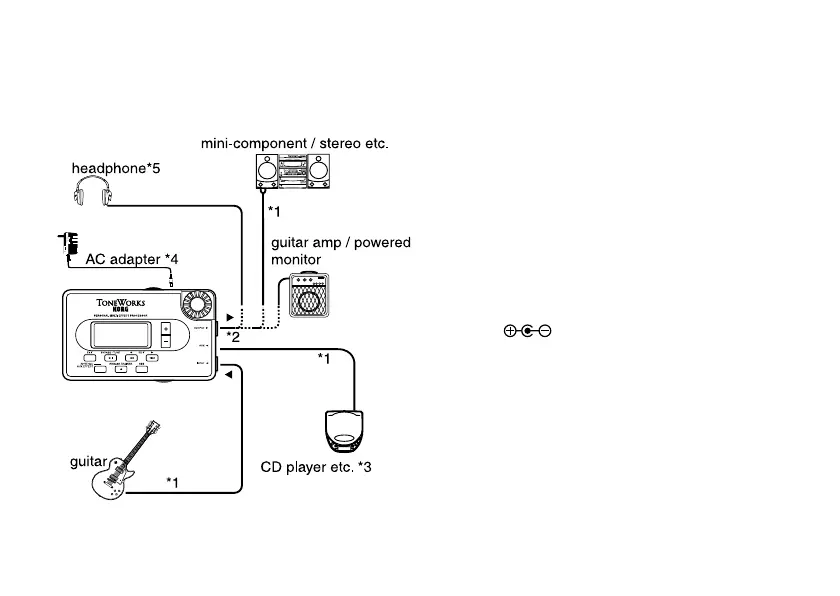
Making connections
For all equipment being connected, turn the pow-
er OFF and lower the volume.
*1 Connecting cables are sold separately.
*2 PANDORA’s output jack is stereo. If you use
a standard mono cable to connect it to a gui-
tar amp etc., only the L (left) output will be
heard.
*3 If a CD player or other audio source is con-
nected to AUX jack, you can play along on
your guitar with a tape, etc. However the vol-
ume must be adjusted on the connected de-
vice.
*4 Be sure to use only the specified AC adapter
(DC9V
).
*5 PANDORA’s output level and sound quality
will vary depending on which headphones are
used. We recommend using good quality low
impedance headphones, 32 Ohms or less with
a sensitivity rating near 100dB/mW or above.
Many headphones sold for use with portable
CD or cassette players will work just fine.



 To Next Page