19
Try it out
1 When you finish making connections, set
the power switch in the “ON” position. (This
setting is referred to as Play mode.)
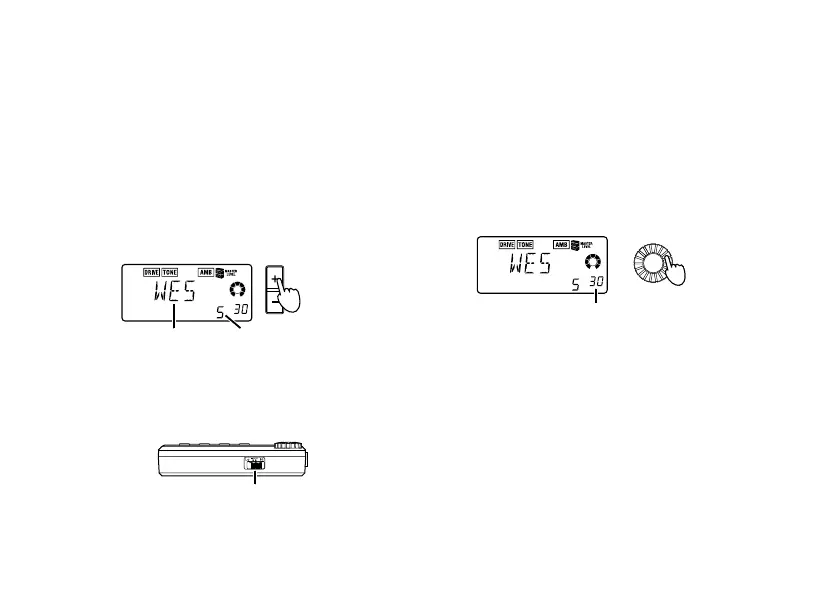
Use the +/- buttons to select a program.
Select a clean-type program that will be suit-
able for setting the volume. (As an example
here, we will select Program 5 “WES”.)
Program name
Program number
2 Set the input level switch to a position ap-
propriate for the output level of your gui-
tar.
Input level switch
H: Guitars with a high output level (humbuck-
ing pickups) or basses
L: Guitars with a low output level (single coil
pickups)
3 Set the volume control of the guitar to its
usual position.
Use the Value dial to adjust the master level.
Master level
Value dial



 To Next Page