30
Edit mode
Here you can switch each effect on/off, select
the effect type, modify the parameter values, etc.
In Play mode, press the EDIT
® button to enter
Edit mode.
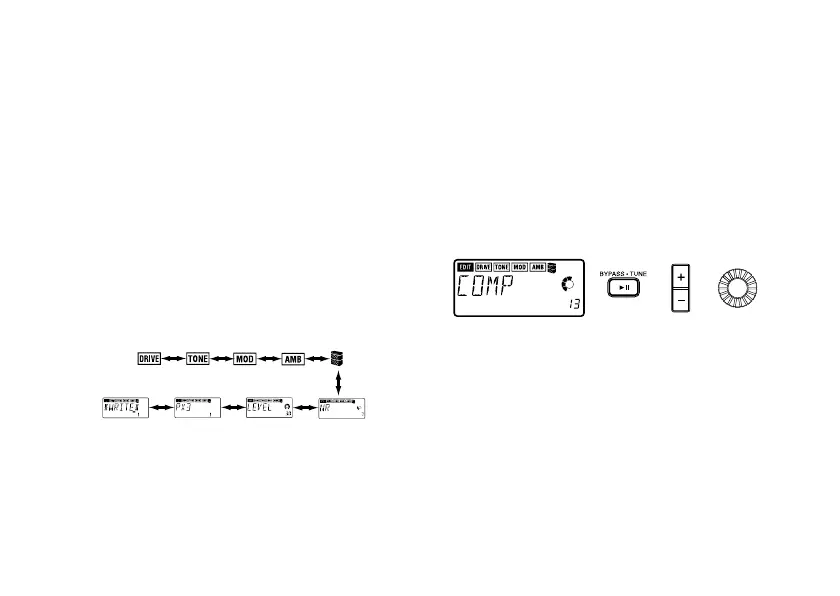
1. Select the effect that you wish to edit
Use the EDIT √/® buttons to select the effect
that you wish to edit.
Each time you press an EDIT
√/® button, you
will cycle through the effects in the order shown
below. When an effect is selected, its icon will
blink.
Effects that are turned off cannot be edited.
To turn an effect on, use the EDIT
√/® buttons
to select the effect, and press the BYPASS
·
TUNE
button.
2. Editing each effect
For each effect, you can select the effect type
and set its parameter values. For details on ef-
fect types and their parameters, refer to the Ef-
fect Parameter List (☞ p.36).
1) DRIVE
This provides effects such as compressor, and
a variety of overdrives and distortions.
• BYPASS
·
TUNE button: Turn the effect on/
off
• +/- buttons: Select the effect type
• Value dial: Specify the parameter value.



 To Next Page