28
2. Recording
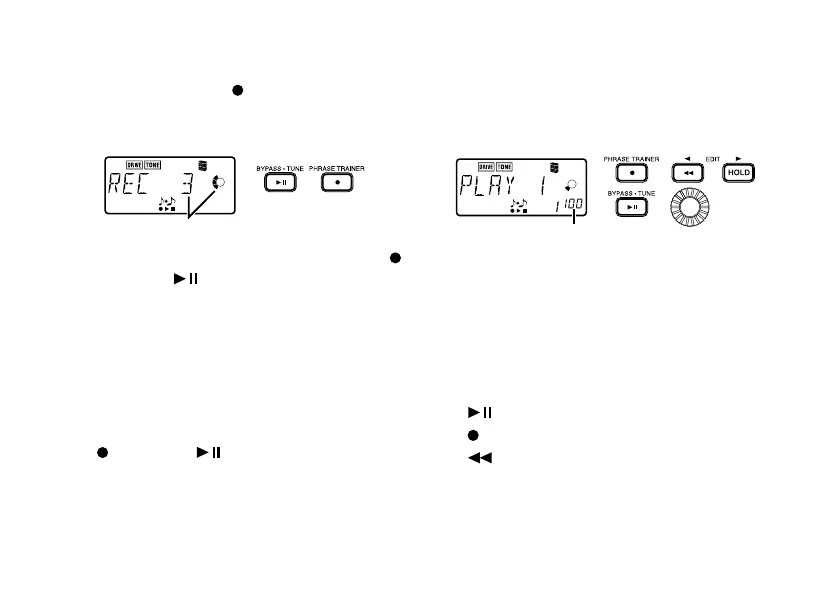
When you press the [ ] button to begin re-
cording, the recording time will be shown as a
numerical value and in the value display.
recording time display
When you wish to stop recording, press the [ ]
button or the [
] button.
When recording ends, loop playback will begin
automatically.
Unless you manually stop recording, recording
will continue as long as permitted for the select-
ed recording mode.
The phrase will be recorded and played back in
mono.
• [
] button/[ ] button: End recording
and begin playback
3. Playback
The recording phrase will playback as a loop.
During playback or while paused, you can use
the +/- buttons to select programs.
playback speed (%)
Rotating the Value dial toward the left will slow
down the playback speed without affecting the
pitch.
The playback speed can be adjusted in 5% steps
over a range of 100%, 95%, 90%…25%.
During playback, you can press the [HOLD] button
to hold the sound at that moment (Hold function).
• [ ] button: Pause/playback
• [
] button: Re-record
• [
] button: Rewind
• [HOLD] button: Switch the Hold function on/
off
• Value dial: Set the playback speed



 To Next Page