23
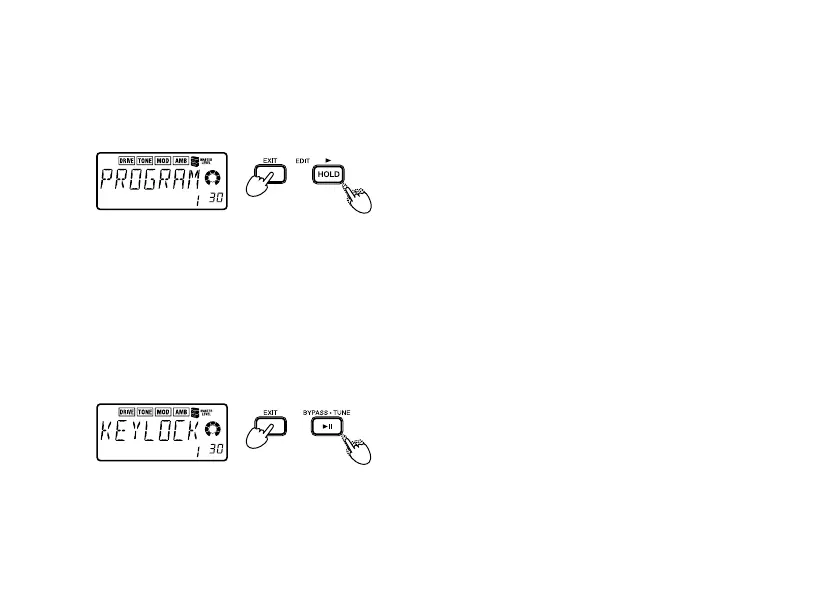
● Hold down the EXIT button and press the
EDIT
® button.
The LCD will indicate “PROGRAM” for approx-
imately one second.
hold down
The Value dial will select programs, and the +/-
buttons will adjust the master level. You can use
the Value dial to select programs quickly.
● Hold down the EXIT button and press the
BYPASS
·
TUNE button.
The LCD will indicate “KEYLOCK” for approx-
imately one second.
hold down
The +/- buttons will select programs, and other
buttons and the Value dial will not function (i.e.,
“key lock”). In this state, selecting programs is
the only operation you can perform, which can
help prevent inadvertent operation during a live
performance etc.
To change the setting, hold down the EXIT but-
ton and press the button for the desired setting.



 To Next Page