9.7AdjustFXandlters
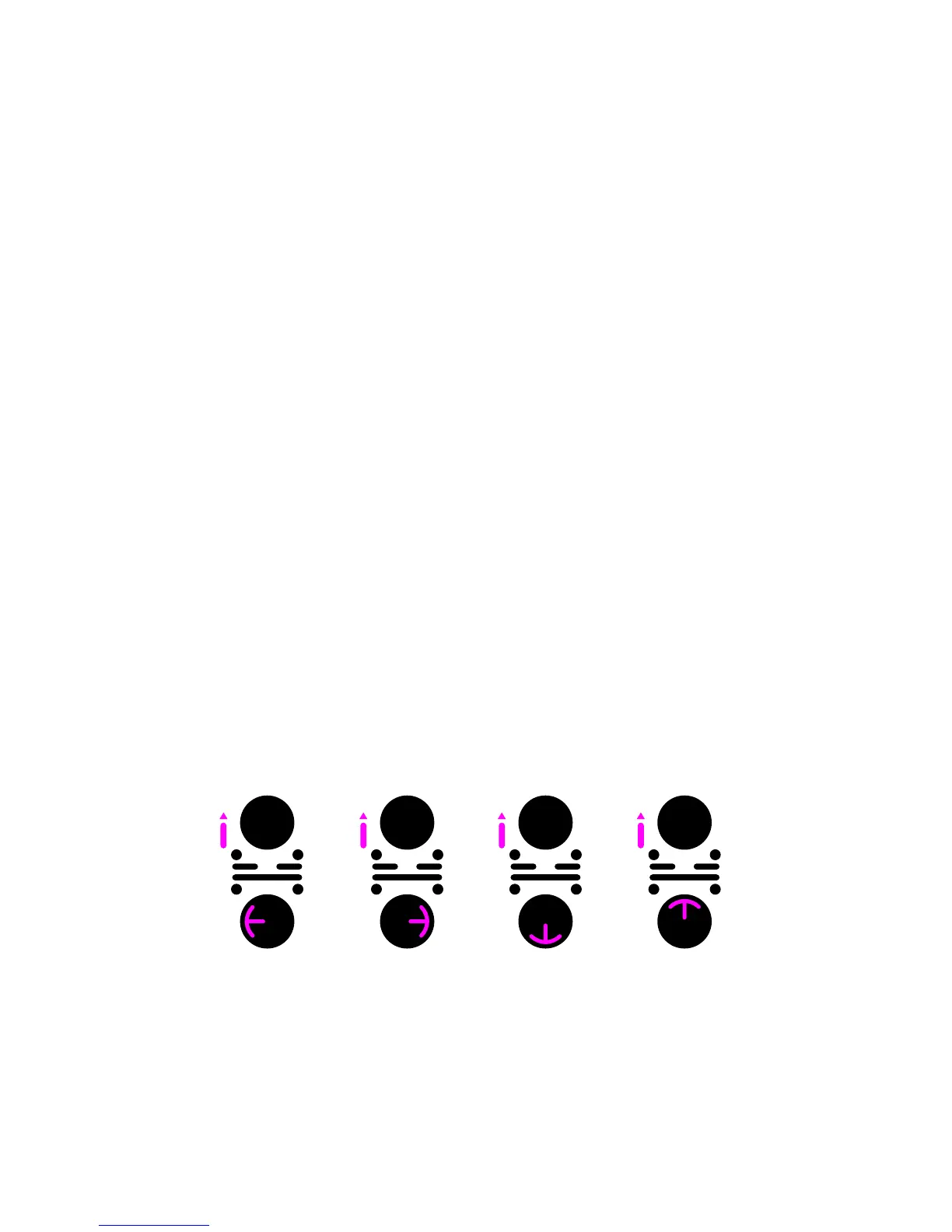
Apply Hi-cut/lo-cut filter
1.WiththeP-switchheldup,slideyourngerfromthecentretothelefton
the Touchpad
•Thecurrentlterparametervalueisdisplayed.
2.WithoutreleasingyourngerfromtheTouchpad,slidealongtherimclockwise
or anti-clockwise to increase or decrease the value.
3.Whenyou’rehappy,releaseyourngerfromtheTouchpad.
Available effects
PacemakerletsyouaddRoll,EchoandReverbeffects.Effectsareadjusted
throughtwoparameters;dry/wetandtime.Theeffectsareaccessedatspecic
locationsontheTouchpad;Reverbatnorth/top,Rollateast/rightandEchoat
south / bottom.
Adjust the time-parameter for an effect
1.WiththeP-switchheldup,slideyourngertwicefromthecentreofthe
TouchpadtotherighttosetRolltime,tothebottomtosetEchotime,orto
the top to set the Reverb time.
•Thecurrenttimevalueisshownonthedisplay
2.WithoutreleasingyourngerfromtheTouchpad,slidethengerclockwise
or anti-clockwise along the rim to increase or decrease the value.
3.Whenyou’rehappy,releaseyourngerfromtheTouchpad.
Adjust the dry/wet parameter for an effect
1.WiththeP-switchheldup,slideyourngerfromthecentreoftheTouchpadto
thetoptosetdry/wetReverb,totherighttosetdry/wetRoll,andtothebottom
to set dry / wet Echo.
•Thecurrentdry/wetvalueisshownonthedisplay
2.WithoutreleasingyourngerfromtheTouchpad,slidethengerclockwise
or anti-clockwise along the rim to increase or decrease the value.
3.Whenyou’rehappy,releaseyourngerfromtheTouchpad.
Adjustments must be performed as one continuous gesture without releasing your
finger from the Touchpad.
Hi-cut / lo-cut Roll Echo Reverb


 To Next Page