9.10 Set loop
Set loop in-point
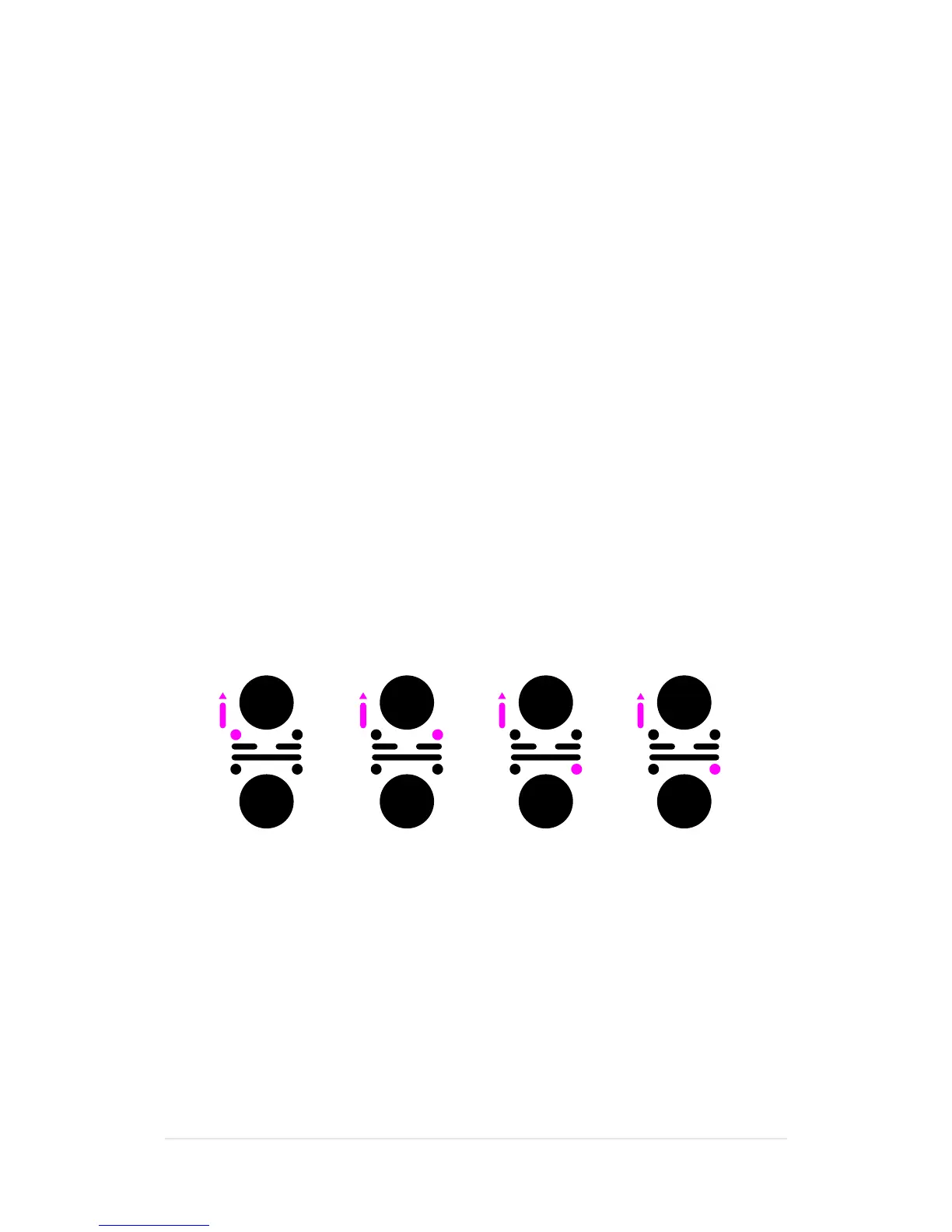
1.WiththeP-switchheldup,pressRewindtosettheloopin-point.
•TheRewind
(
loop in-point
)
buttonislit,whiletheForward
(
loop end-point
)
button
is blinking
•TheLoopsymbolisblinkingatthebottomcentreofthedisplay
Set loop end-point
2.WiththeP-switchstillheldup,pressForwardtosettheloopend-point.
3. Release the P-switch.
•Theloopisnowsetandthetracksegmentloopsbetweenthesetin-point
and end-point.
•TheCue,ForwardandRewindbuttonsareblinking
•TheLoopsymbolisdisplayedatthebottomcentreofthedisplay
Exit loop
4.WiththeP-switchheldup,pressCue.
•Thetrackwillassumenormalplaybackfromthepreviouslysetloopend-point
•TheCuebuttonisblinking
•ThePlaysymbolisdisplayedatthebottomcentreofthedisplay
Re-enter loop
5.WiththeP-switchheldup,pressCue.
•Thetracksegmentloopsbetweenthepreviouslysetin-pointandend-point
•TheCue,ForwardandRewindbuttonsareblinking
•TheLoopsymbolisdisplayedatthebottomcentreofthedisplay
The loop will be cancelled if you perform one of the following actions between
setting the loop in-point and end-point: Release the P-switch, reverse the playing
direction, or change the pitch.
A loop is automatically exited if you cue, fast forward or rewind a track within
an activated loop.
Once defined, a loop is permanently saved and can be re-activated even after
another track has been loaded.
You can only have one loop per track. If you set a new loop in a track, the previous
loop definition is lost.
In-point End-point Exit loop Re-enter loop


 To Next Page