Installation
TS-i4 IMU Sensor Cable Routing
2-7
P/N: 1049060-01
TS-i4 IMU Sensor Cable Routing
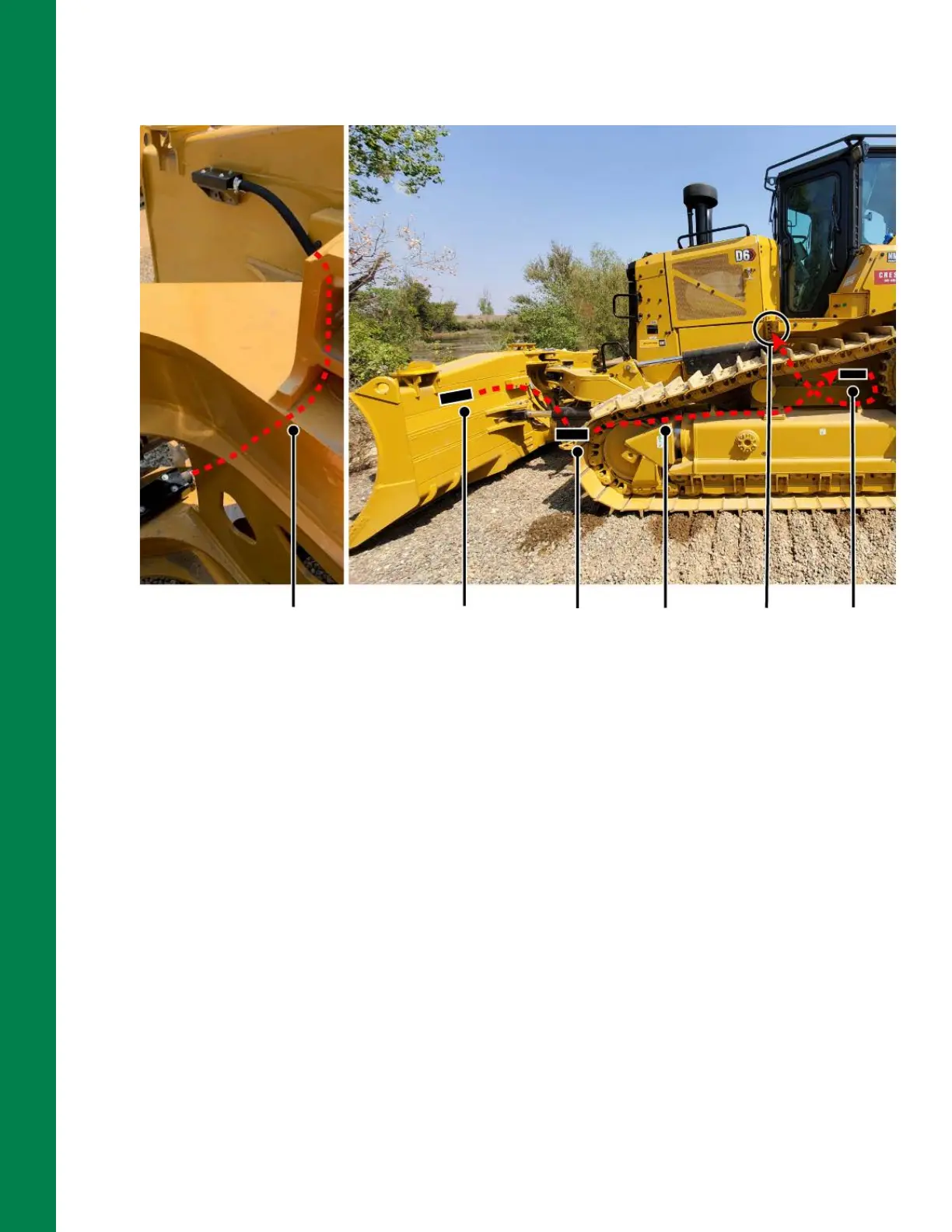
Figure 2-9: M12 Cable Route from TS-i4 Blade Sensor to Body Sensor and Machine Entrance
1. Determine the amount of protective hydraulic hose that will be required to protect the M12
cable from the TS-i4 C-Frame sensor to the machine entrance point (under cab floor),
following the existing cables and cable troughs (Figure 2-9).
2. Cut the hydraulic hose to the required length. Using a grinder or file, clean off any sharp burrs.
3. Determine where to position the provided weld-on hose clamps for welding to the machine.
4. Weld the weld-on hose clamps that will be used to secure the protected M12 cable from the
TS-i4 C-Frame sensor.
5. Feed the M12 cable through the protective hydraulic hose.
6. Route the protected M12 cable from the TS-i4 C-Frame sensor to the area where the TS-i4
Body sensor will be installed following existing hydraulic lines (Figure 2-9)
7. Connect the protected M12 cable to the TS-i4 C-Frame sensor.
8. Secure the protected M12 cable to the weld-on hose clamps.
9. Secure the protected M12 cable to the TS-i4 C-Frame sensor on the strain relief plate using
two hose clamps (Figure 2-8 on page 2-6).
M12 Cable from TS-i4
Blade sensor to TS-i4
C-Frame sensor
TS-i4
Blade
sensor
TS-i4
C-Frame
sensor
TS-i4
Body
sensor
M12
Cable
Route
Machine
entrance
point to
MC-X3



 To Next Page