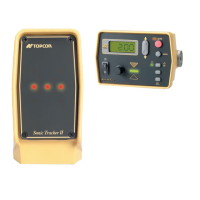
What to do if the screen has transferred to operating system on Topcon mmGPS 3D Paver Control Systems?
H
hallenSep 23, 2025
If the screen on your Topcon Control System has transferred to the operating system, the “Exit 3DMC” function may have been pressed unexpectedly or incorrectly. If the desktop is displayed, double-tap the “My Computer” folder, then double-tap the “Disk C” folder. Look for the “Control Box” icon and double-tap it. This will reopen the application program and return to the Main Screen.
J
James RodriguezAug 23, 2025
Why does measurement take too long with Topcon mmGPS 3D Paver?
J
julian67Aug 25, 2025
If measurements are taking too long with Topcon Control Systems, the machine may be obstructing satellite signals to the antenna. Watch the measurement screen; if it says “waiting for satellites,” move the machine away from the antenna. Alternatively, the Control Point might be too close to obstructions. In this case, move to another Control Point or ask the surveyor to place a new one away from any obstructions.
K
Katie WalkerAug 25, 2025
What to do if the screen display turns off by itself on Topcon mmGPS 3D Paver?
M
marroyoAug 26, 2025
If the screen display on your Topcon Control Systems turns off by itself, the fan may be damaged, causing the control box to overheat. Check to see if the fan is rotating. If it is not, the fan likely needs to be replaced. Contact your dealer.
A
Amy GrayAug 27, 2025
Why does the screen display go dim by itself on Topcon Control Systems?
O
ochoawesleyAug 27, 2025
If the screen display on your Topcon Control Systems dims by itself, there are a couple of potential reasons. First, the fan may not be rotating, leading to overheating. Check the fan; if it's not working, it may need replacement – contact your dealer. Second, the control box has a self-adjusting brightness feature. Brightness may decrease if the control box overheats due to high ambient temperatures, or if the ambient light dims. The backlight also reduces when the ambient light becomes dim.
M
Mario PowellAug 27, 2025
What to do if the control box does not power on in Topcon mmGPS 3D Paver?
A
adam64Aug 27, 2025
If the control box for your Topcon Control Systems fails to power on, the cable might be the issue. Ensure you're using the correct cable, that it's properly connected, and undamaged. The power cable should supply 12 to 24 VDC and be negative conductive, with a socket (positive) providing 12 to 24 VDC and an E socket serving as ground. Verify the cable is connected to the correct port. If the cable is damaged, contact your dealer for a replacement.
C
Cynthia HallSep 15, 2025
What to do if the Topcon mmGPS 3D Paver displays a “Loading….” or “Building….” message?
C
ccampbellSep 15, 2025
If you see a “Loading….” or “Building….” message on Topcon Control Systems, the program in the control box is either loading files or creating graphics. If the pointer on the Main Screen moves when you tap in different places, the control box is computing; wait a few minutes to let it complete the process, especially with larger files. If the pointer doesn't move, the control box may have a computing problem, try switching it off and on again.
P
Paula BakerSep 12, 2025
Why are there no H.Error and V.Error values in Topcon Control Systems?
D
dennis59Sep 12, 2025
If there are no H.Error and V.Error values in Topcon Control Systems, ensure that the “Use for horizontal GPS localization” and/ or “Use for vertical GPS localization” check boxes have been selected. These check boxes need to be selected for a minimum of three points. The error value is calculated once three Control Points are measured and used for the GPS localization.
L
Lisa GonzalezSep 14, 2025
What does it mean when the Elevation Control key displays “Out of design area” on Topcon mmGPS 3D Paver Control Systems?
C
charles41Sep 14, 2025
If the Elevation Control key displays “Out of design area” on Topcon Control Systems, the machine is out of the Design Surface area. Make sure that the correct Control Point File and Design Surface file is selected. Move into the Design Surface area so the operator can start grading.
M
Maria MillerSep 5, 2025
What does it mean when the Elevation/Slope Control pad displays “GPS receiver not connected!” on Topcon Control Systems?
L
lucas67Sep 5, 2025
If the Elevation/Slope Control pad displays “GPS receiver not connected!” on Topcon Control Systems, either the GPS+ or radio signal is invalid. Check cable connections along the GPS antenna cable from the GPS antenna port on the MC-2.5 Receiver Box to the rover antenna. Also, check connections at the System Five port on the MC-2.5 Receiver Box and Connector D (bottom) on the 9168 control box.
M
Marc ParkerSep 2, 2025
What to do if Pocket-3D does not connect to Legacy-E+ or Hiper Lite+ in Topcon mmGPS 3D Paver?
J
Johnny BryantSep 3, 2025
If Pocket-3D isn't connecting to Legacy-E+ or Hiper Lite+ with Topcon Control Systems, first ensure that the Legacy-E+ or Hiper Lite+ is switched on. Next, check that the cable is connected to the COM port on the computer and Port A on the Legacy-E+. If there's still no connection, try resetting the computer and repeat the process.



 To Next Page
 General