63
12. DISTANCE MEASUREMENT
PROCEDURE
1. Accurately sight the target.
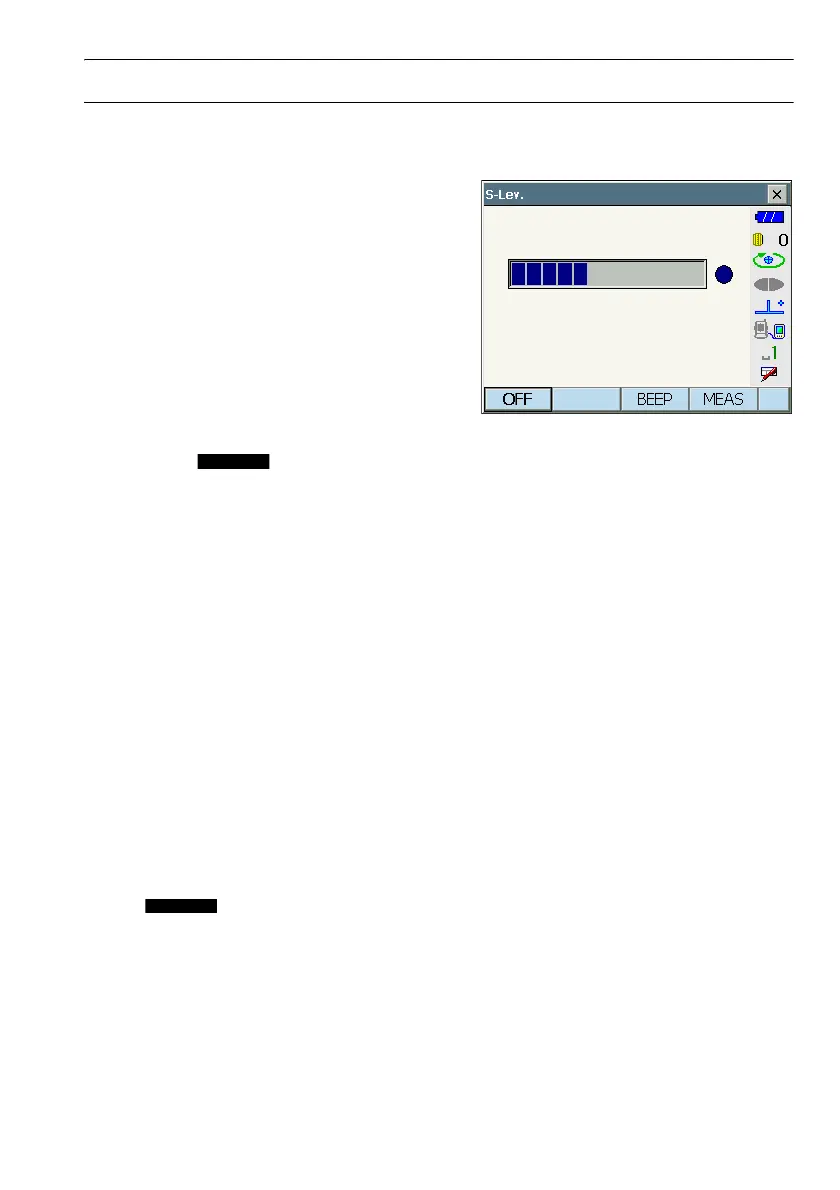
2. Press [S-LEV] in observation mode.
<Aiming> is displayed.
CAllocating [S-LEV]: "19.6 Allocating Key
Functions"
When [S-LEV] is pressed, a gauge indicating light
intensity is displayed.
• The more displayed, the greater the
quantity of reflected light.
• If “
I” is displayed, only enough light for the
measurement is returned.
• When “
I” is not displayed, accurately resight the
target.
[BEEP]/[OFF] : Sets a buzzer sound when
measurement is possible.
Press to switch on and off.
[MEAS] : Returns to Observation
mode and starts angle and
distance measurement
regardless of "Search
Setting" setting.
3. Press [OFF] to finish signal checking.
Press {ESC} or tap the cross in the top-right
corner to return to the previous screen.
$
• When is displayed persistently, but “I” is not, contact your local dealer.
• If no key operations are performed for two minutes, the display automatically returns to the previous
screen.



 To Next Page