13
Battery Charging
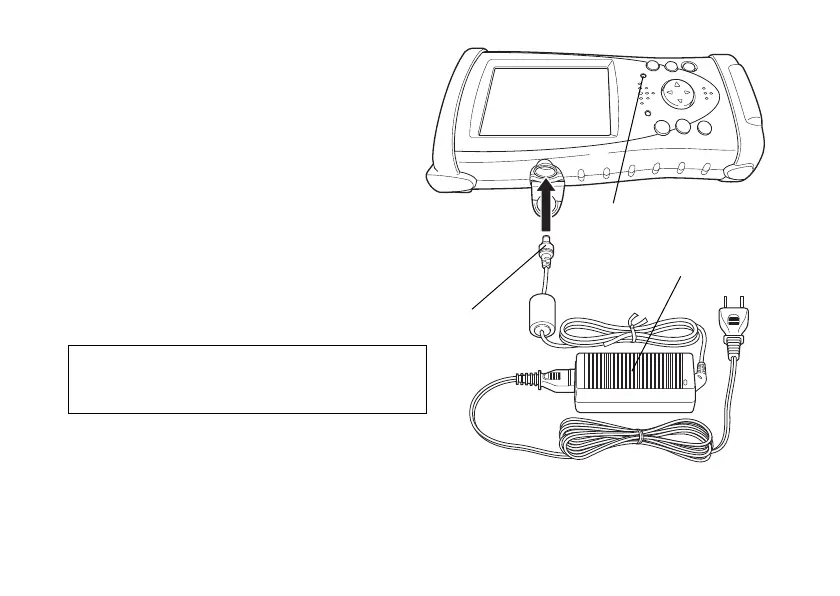
1 After installing the battery, plug the
connector of AD-11B/11C in the FC-200.
2 Plug the AD-11B/11C in an outlet. Then
the charge LED will light.
Charging is completed after approximately
4 hours.
The charge LED of FC-200 will indicate
charging status;
Red ON : Charging.
Green ON : Charging completed.
Red Flashing : Charging error.
Note
The instrument may develop heat while charging,
there is no problem of it.
Charge LED
Connector
AD-11B/11C


 To Next Page