17
Touch Screen
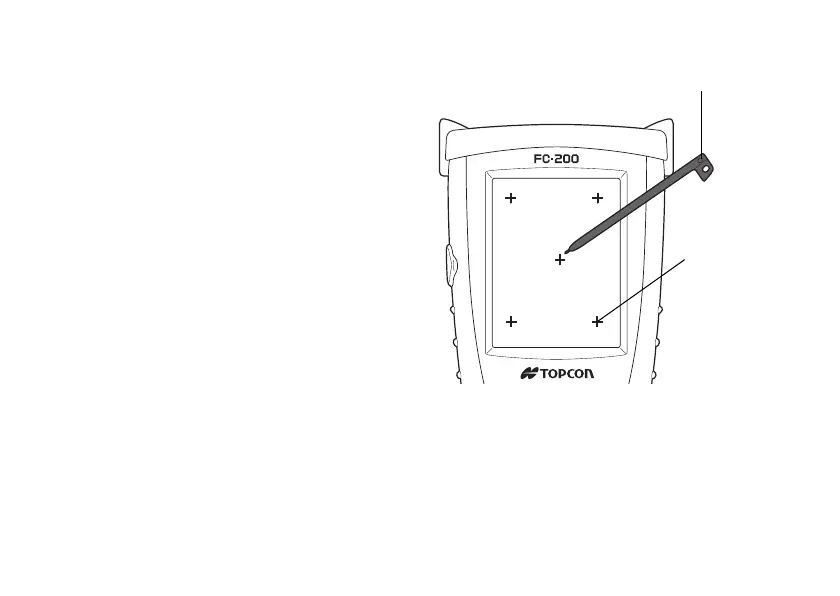
Adjusting Touch Screen
1 Turn on the instrument after hard-reset or
tap [Start], [Setting], [Control Panel],
[Stylus], [Calibration], [Recalibrate].
2 Using a stylus pen, touch the center of the
target.
3 After touching all targets(5 points), press
[ENT] key or tap the display.
(Use an accessory stylus pen to touch a
screen. Do not use neither a ball-point pen
nor pencil.)


 To Next Page