12
Battery
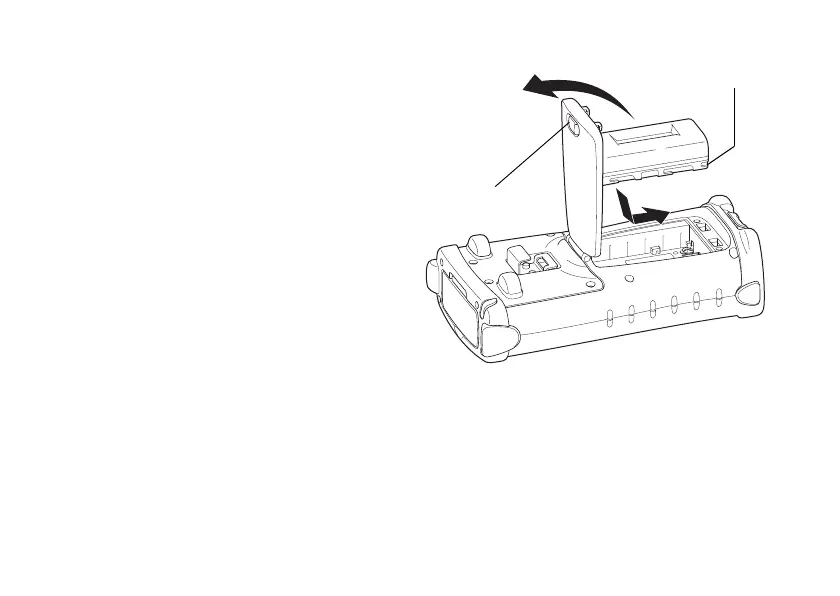
Battery Installation
1 Remove the handstrap.
2 Slide the battery cover knob in the direction
of arrow.
3 Open the battery cover.
4 Insert batteries in the direction as shown in
the figure to the right.
5 Close the battery cover.
* When the battery cover is opened, it will
automatically change to suspension mode
(Power OFF).
Battery cover knob
Battery terminal



 To Next Page