18
Transmittion Data to The PC
Using Interface Cable
1 Install ActiveSync in your PC (if it is not already installed).
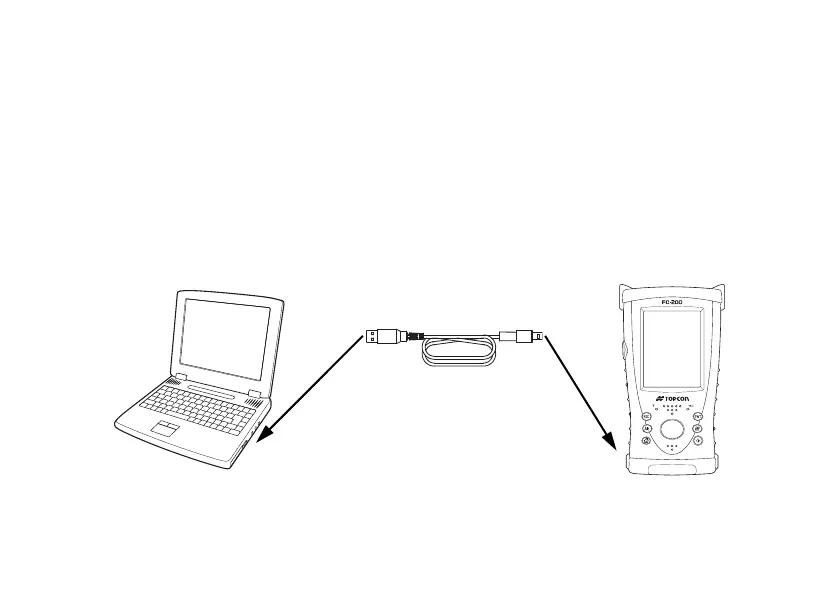
2 Connect the FC-200 to your PC with an interface cable F-25 as shown below.
3 The FC-200 will give the prompt, “Connecting to Host”.
4 The PC will prompt you to set up a partnership or set up as a guest.
5 Select the [NO] key to setting up as a guest.
6 Press the [Next] key. Once a connection has been established, the ActiveSync window will
appear on your PC.
PC
Interface(USB) cable F-25
FC-200
USB port (TYPE A)
USB port (TYPE Mini-B)


 To Next Page