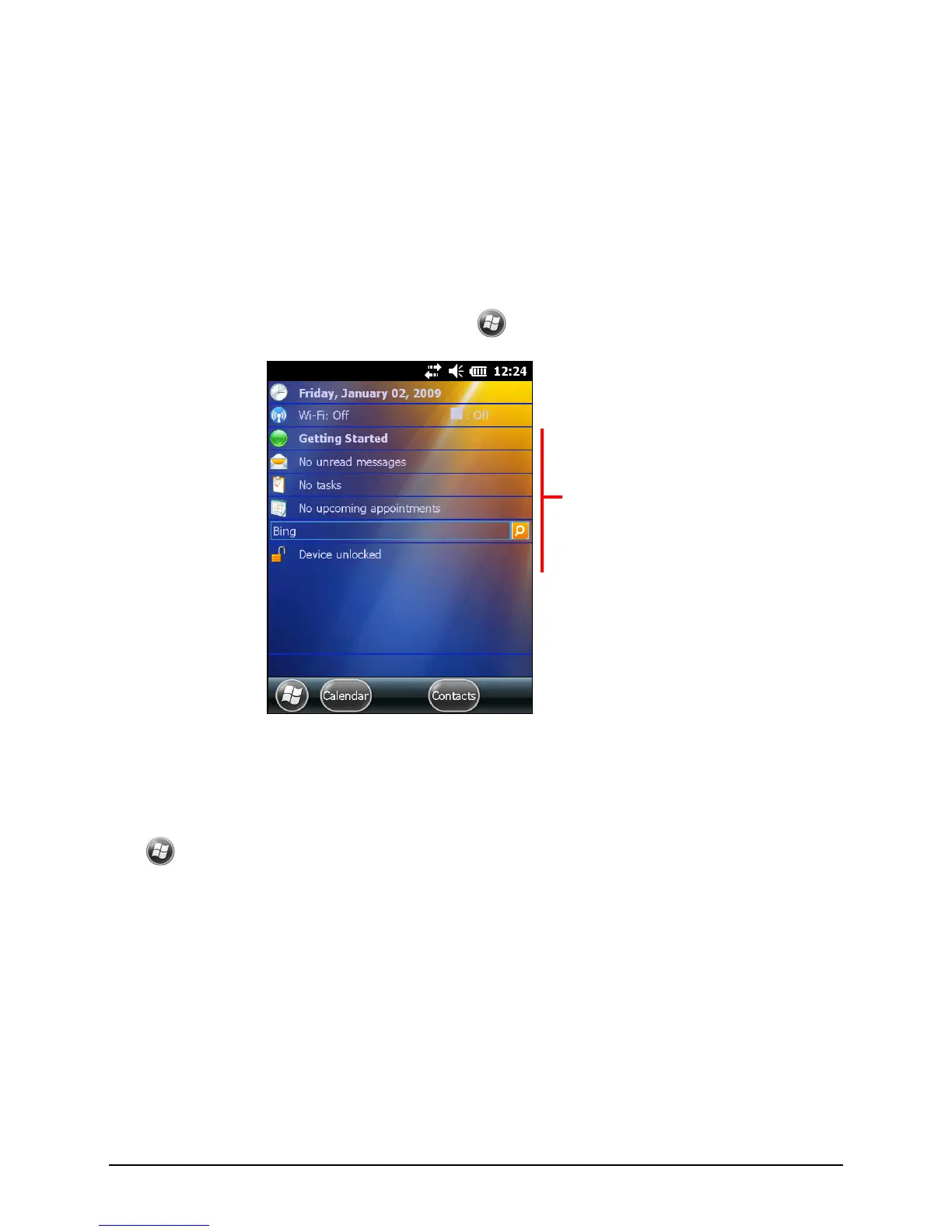
2.4 Home screen
When you turn on your Pocket PC for the first time each day, you will see the
Home screen. The Home screen shows your upcoming appointments, active
tasks, and information about e-mail messages. You can tap a section of the Home
screen to open the program that is associated with that section. The Home screen
is accessible from anywhere by tapping
and then Home.
Landscape View
You can use your Pocket PC in a landscape manner. To change the screen view,
tap
Settings System Screen General Landscape or Portrait.
2.5 Navigation Bar and Toolbar
The Navigation bar is located at the top of the screen. It displays the active
program name and indicators for connectivity, volume, power, time, and others.
You can tap this bar to set up related items.


 To Next Page