EasyManua.ls Logo

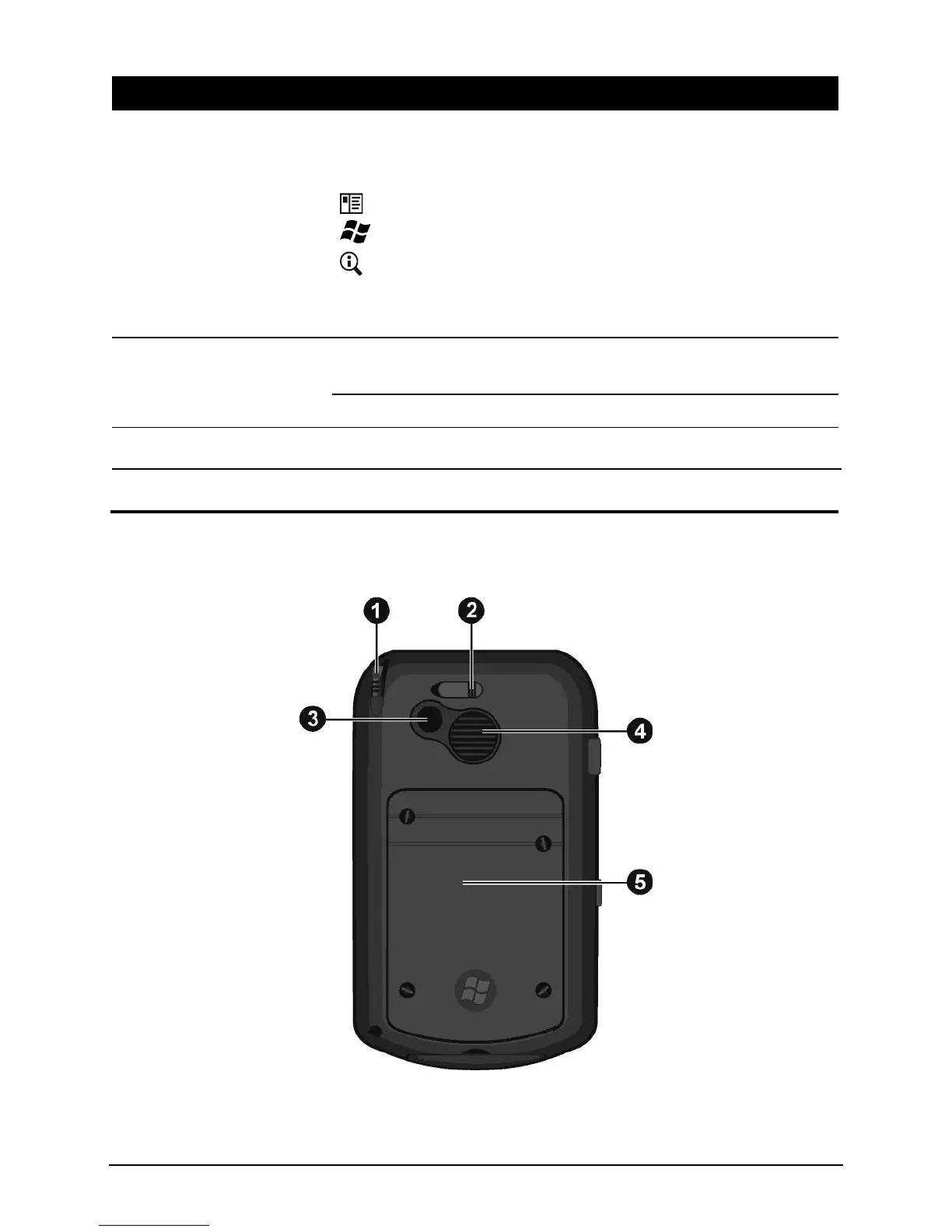
Topcon FC-25 - Back Components

Topcon FC-25
84 pages
Print Icon
To Next Page IconTo Next Page
To Previous Page IconTo Previous Page
Loading...
3
Ref
Component
Description
Program Buttons
Each of the three buttons provides a quick way to use a
program or function. The buttons are customizable. The
icons on the buttons indicate the default functions:
Contacts
Start Menu
GPS Application
NOTE: The buttons can provide different functions if you are using
a navigation software that allows you to define the buttons.
Navigation Stick
Moves up, down, left or right by pushing the button toward
the corresponding direction.
Selects by pressing.
Microphone
Receives sound and voice to record voice.
Power Button
Turns your Pocket PC on or off by pressing briefly.
Back Components

Table of Contents