59
TacLink
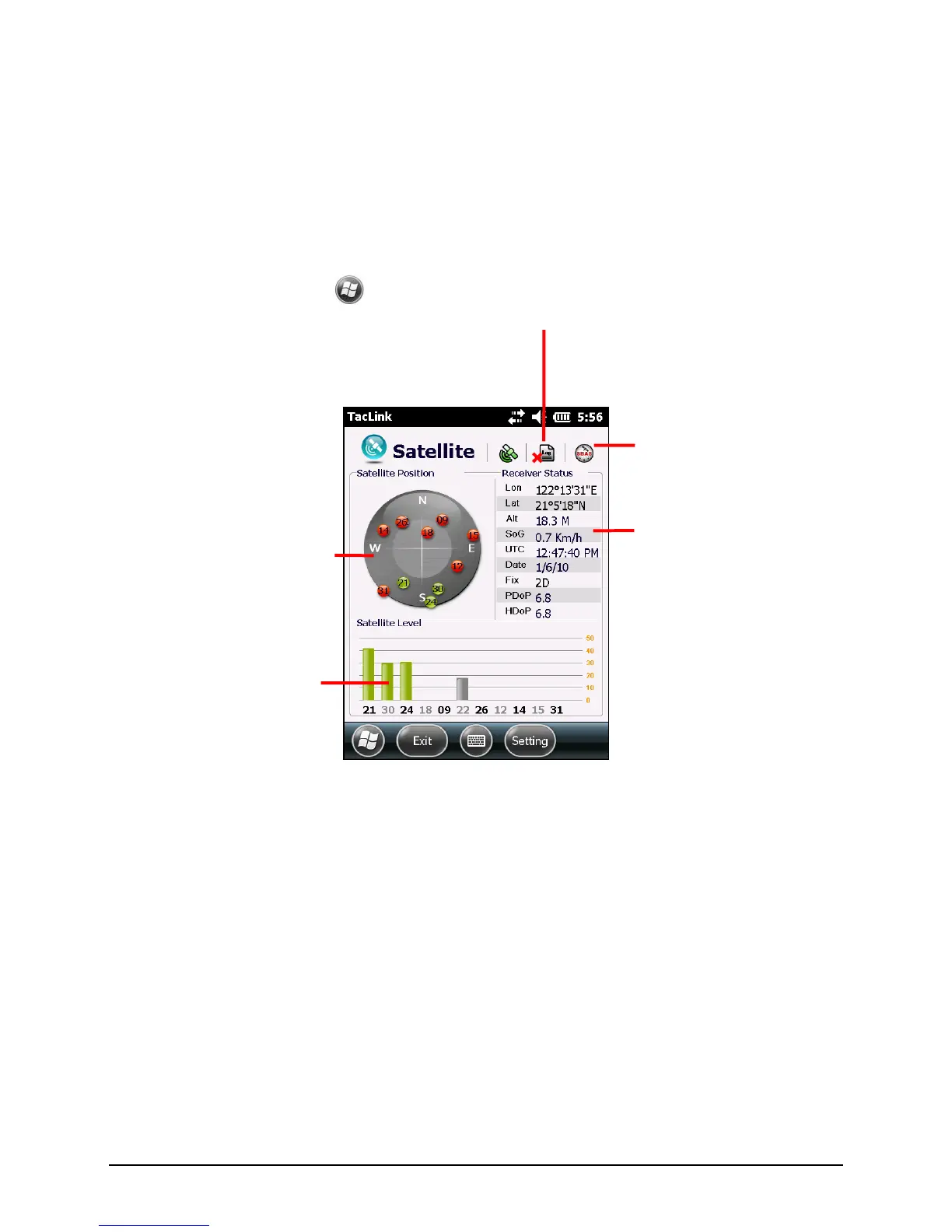
The TacLink program receives GPS satellite signals to calculate the location of
your device. You can also record a NMEA log file for the use of other
applications.
Running TacLink
To run the program, tap
TacLink.
A message appears if positioning is not completed in 10 minutes.
To exit the program, tap Exit.
NMEA Log
To start logging, tap Setting Log Start. To stop, tap Setting Log Stop.
For each logging section, new data is added to the end of the existing data in the
same file. By default, the log file is named ―GeTACGPSLog‖ and saved to ―My
Documents‖ folder on your device. To specify a different name and location for
file, tap Setting Log File.
Shows the result of GPS
positioning. A minimum of 4 GPS
satellite signals is needed to
calculate your GPS position.


 To Next Page