EasyManua.ls Logo

Topcon FC-25 - Identifying Hardware Components

Topcon FC-25
84 pages
Print Icon
To Next Page IconTo Next Page
To Previous Page IconTo Previous Page
Loading...
2
1.2 Identifying Hardware Components
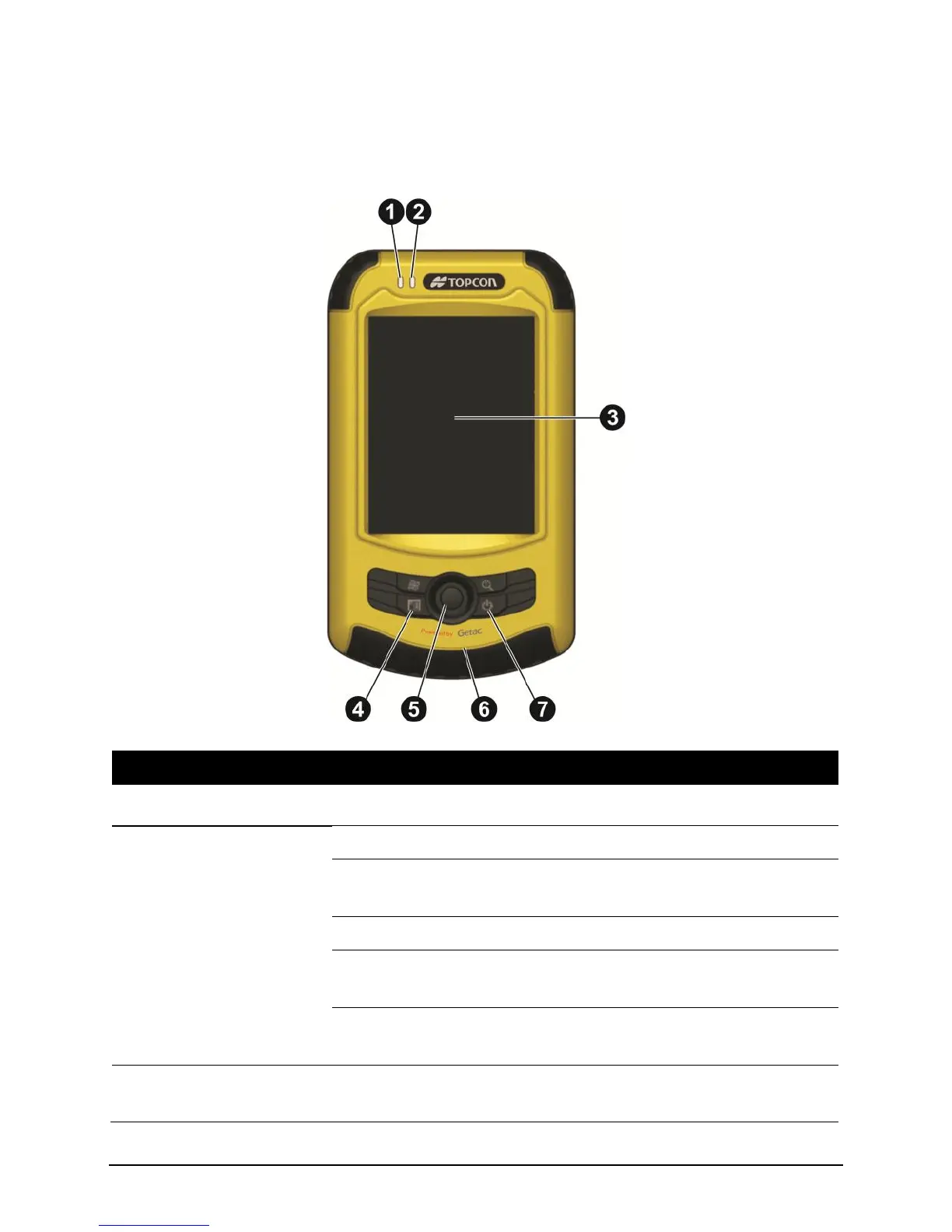
Front Components
Ref
Component
Description
RF Indicator
Glows in blue to indicate that RF is on or active.
Multi-Functional
Indicator
Glows in green to indicate that battery is fully charged.
Glows in amber to indicate that battery charging is in
progress.
Glows in red to indicate that battery power is low.
Flashes in red (on battery power) when a notification comes
up.
Flashes in amber and green alternately (on AC power) when
a notification comes up.
Touch Screen
Displays the output of your Pocket PC. Tap the screen with
the stylus to select menu commands or enter information.

Table of Contents