Configuration
Topcon HiPer GD and HiPer GGD Operator’s Manual
2-8
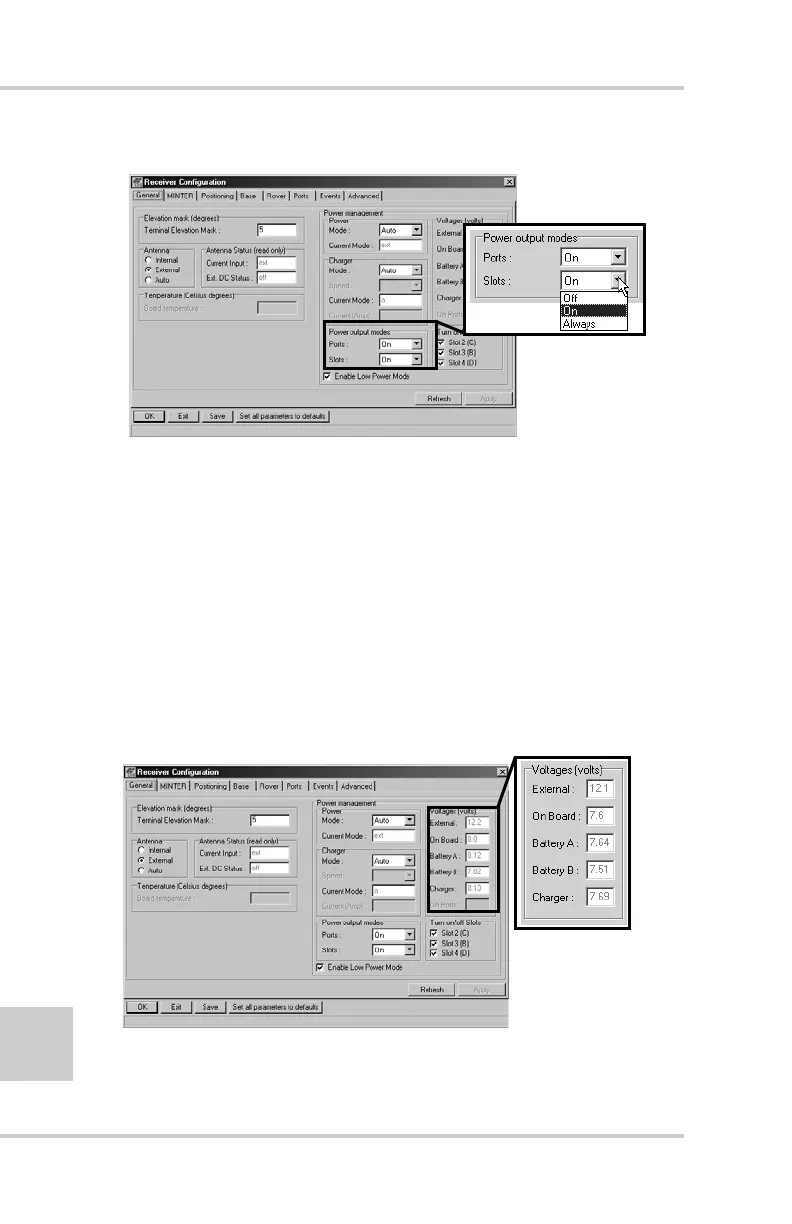
Figure 2-5. Select Power Output Modes – Slots
7. View the Voltages information (Figure 2-6).
• External – displays the external power supply’s voltage
• On Board – displays the voltage drawn by the receiver
board
• Battery A – displays the voltage of battery A
• Battery B – displays the voltage of battery B
• Charger – displays the charger’s output voltage during
battery charging
Figure 2-6. View Voltages Information



 To Next Page