10
4. NOMENCLATURE AND FUNCTIONS
Wireless antenna
This antenna may be damaged depending on how it is handled. Be careful not to hit the antenna while
working, as it sticks out from the instrument.
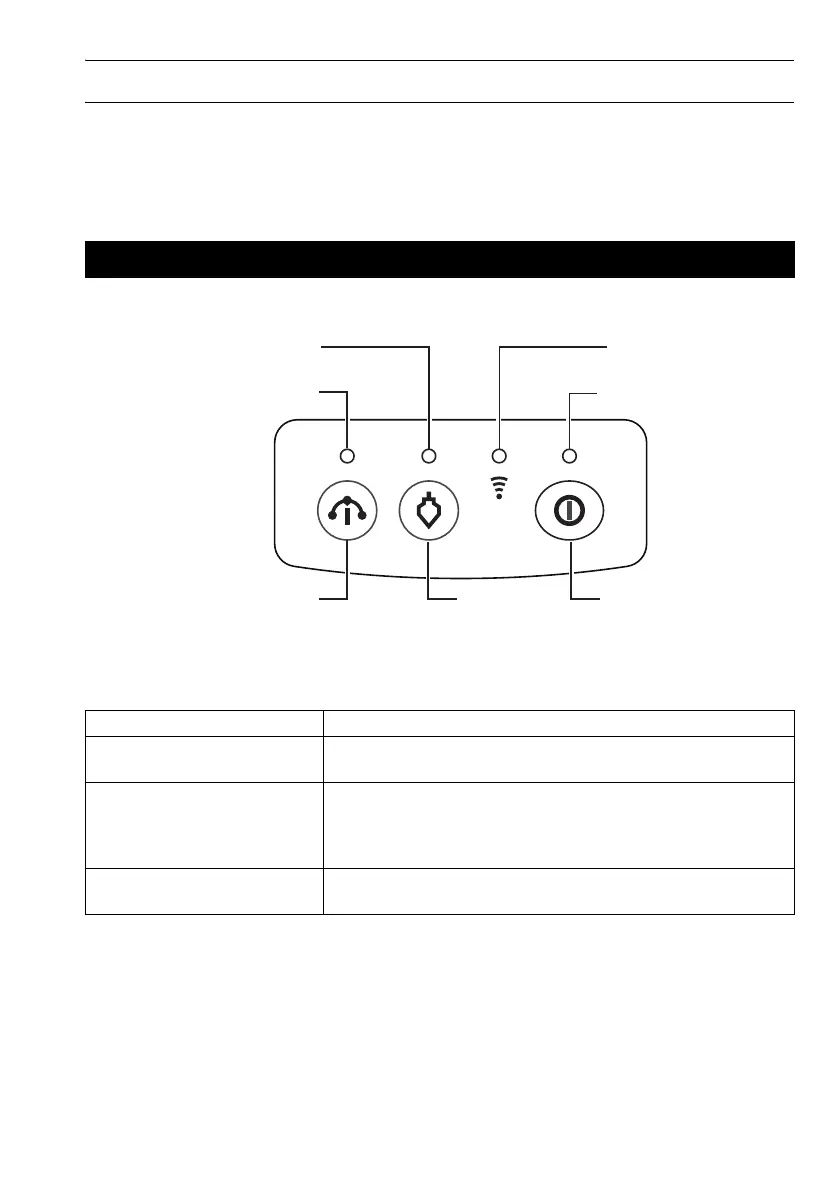
Explanation of the operation panel
4.2 Control Panel
Name Function details
Power switch Power ON: Press it for a short time
Power OFF: Hold down the switch for more than 1 second
Power LED Off: Power OFF
Lighting up in green: Power is ON
Blinking in green: During Power-OFF-process
Blinking in red: Battery voltage dropped
W-LAN mode selector switch
(inside the battery cover)
Mode A: Flip the switch to the right
Mode B: Flip the switch to the left
W-LAN LED
Power LED
Auto leveling LED
Laser plummet/
Laser pointer LED
Power switchLaser plummet
switch
Auto leveling switch



 To Next Page