TRL-35 Configuration
TRL-35 Operator’s Manual
2-12
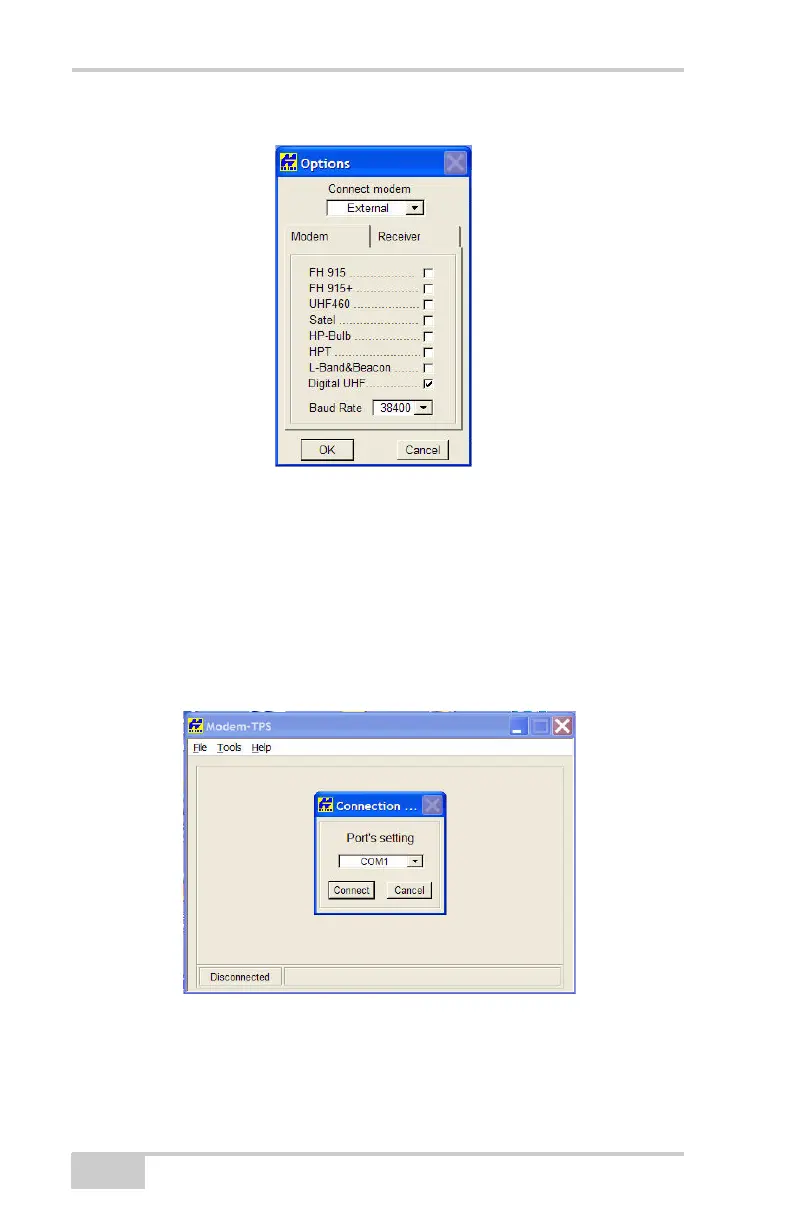
4. Go to the ToolsOptions.
Figure 2-12. Tools Options Screen
5. On the Options screen, change the Connect modem field to
External, and change the Baud Rate field to 38400.
6. Confirm that all the radio modem options have a check mark, as
shown in Figure 2-12. Once configured, click OK.
7. Go to FileConnect in Modem-TPS and choose the COM Port
the TRL-35 connects to on your computer. Then click Connect.
Figure 2-13. Selecting the COM Port to which the TRL-35 Connects



 To Next Page