28
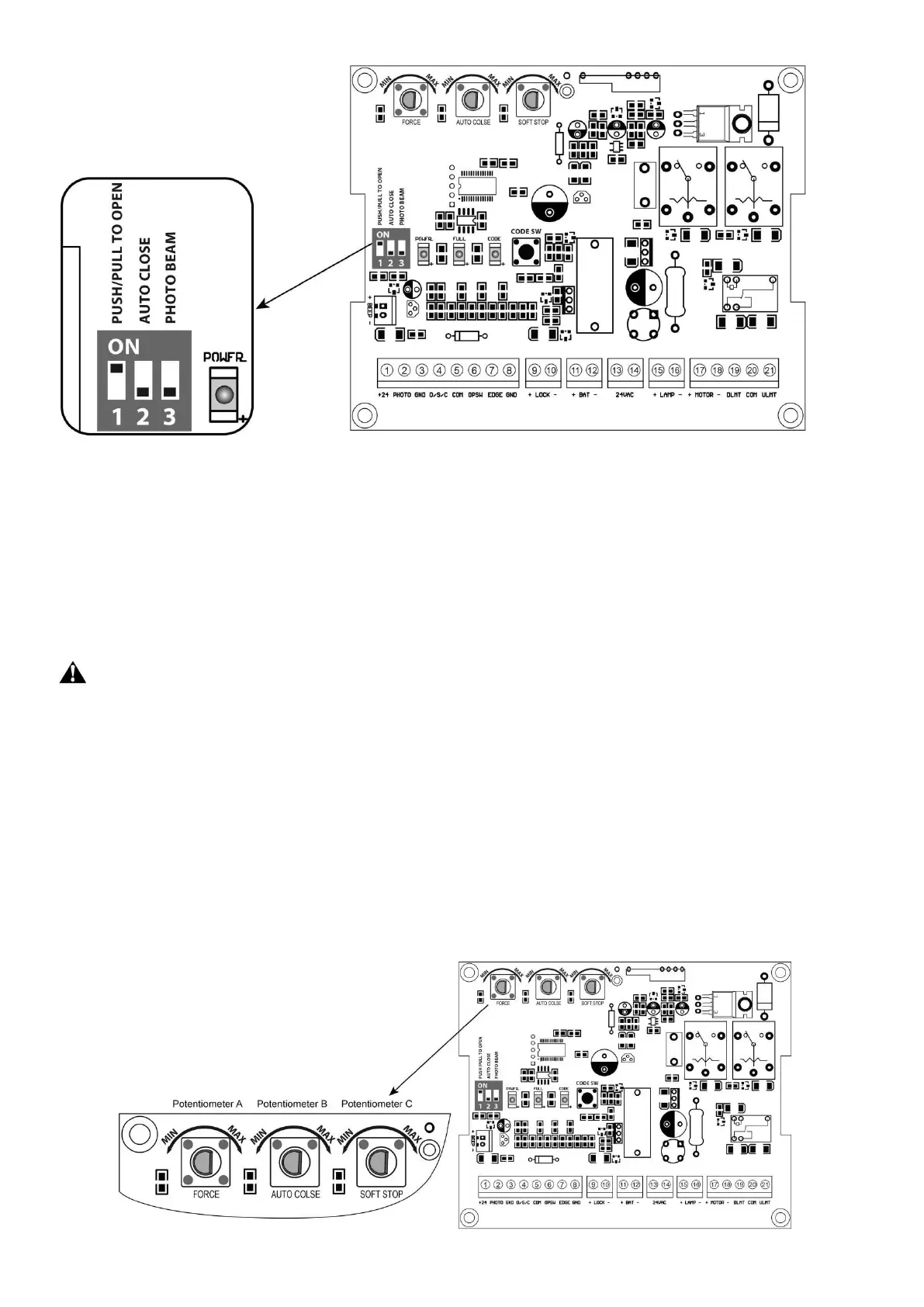
DIP Switch #1: Select push/pull to open
If the gate opens into the property (pull to open), the DIP Switch is set to OFF (factory default setting). If your
gate opens out from the property (push to open) the DIP Switch must be set to the ON position.
Factory default setting is OFF.
DIP Switch #2: Auto close function enabled/disabled
ON – Auto close function enabled
OFF – Auto close function disabled
Set the switch #2 to ON to enable the auto close function. Factory default setting is OFF.
Important Note: When the auto close function is enabled, the photocell sensor is highly
recommended to be installed with the gate opener for safety.
DIP Switch #3: Photocell function enabled/disabled
ON – Photocell function enabled
OFF – Photocell function disabled
You must set the switch #3 to ON to enable the photocell function if you want to use the photocell with the gate
opener. Factory default setting is OFF
2. Potentiometers
There are 3 potentiometers located in the control board. They are used to adjust the stall force, auto-close time
and soft stop period.



 To Next Page