1
1.2 Controlling the digital receiver 3
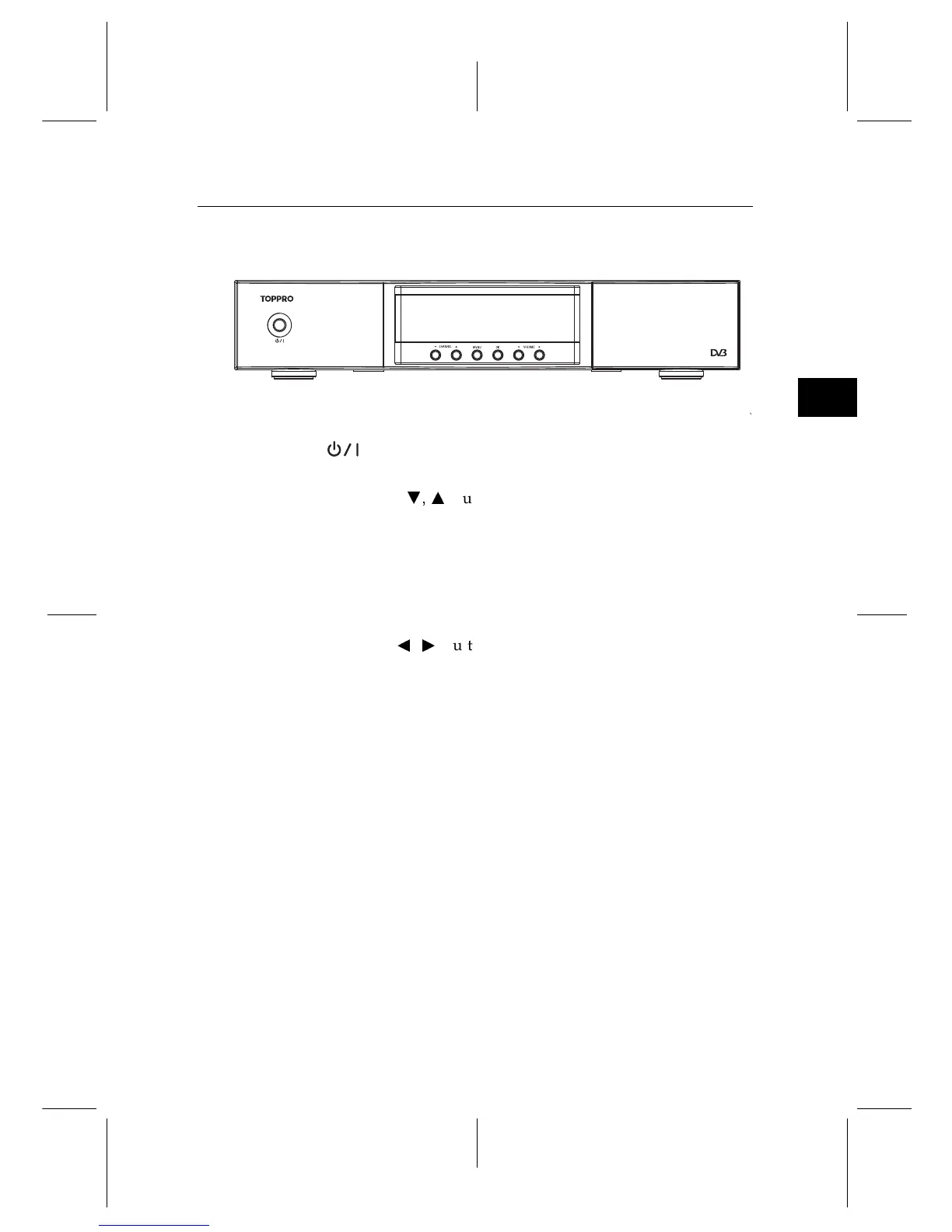
1.2.1 Front panel
button switches the digital receiver between standby mode
and active mode.
CHANNEL
c
,
a
buttons switch to the previous or next ser-
vice.
MENU button displays the main menu. It is also used to return
to the previous menu from a submenu.
OK button displays the services list. See §5.2.1 for more de-
tails. It is also used to select a menu item.
VOLUME
b
,
d
buttons decrease or increase the volume.


 To Next Page