46 Recording and Playback
NOTE
The whole timeshift buffer is recorded as one single file on
the hard drive.
1. Press the button to display the progress bar.
2. Hold down the
b
button to move back in timeshift.
3. Press the button to start recording. When you get
prompted to save the timeshift programme, select YES
at the same time a new live recording will begin from
the end of your timeshift file on the same channel.
4. If you wish to stop the live recording, press the button
on the remote.
See §5.4 for detailed description about the time-shift feature.
7.2 File archive
When a programme is recorded, it is stored as a file on the hard
drive of the digital receiver. You can select a recording to play
back from the recorded programme list.
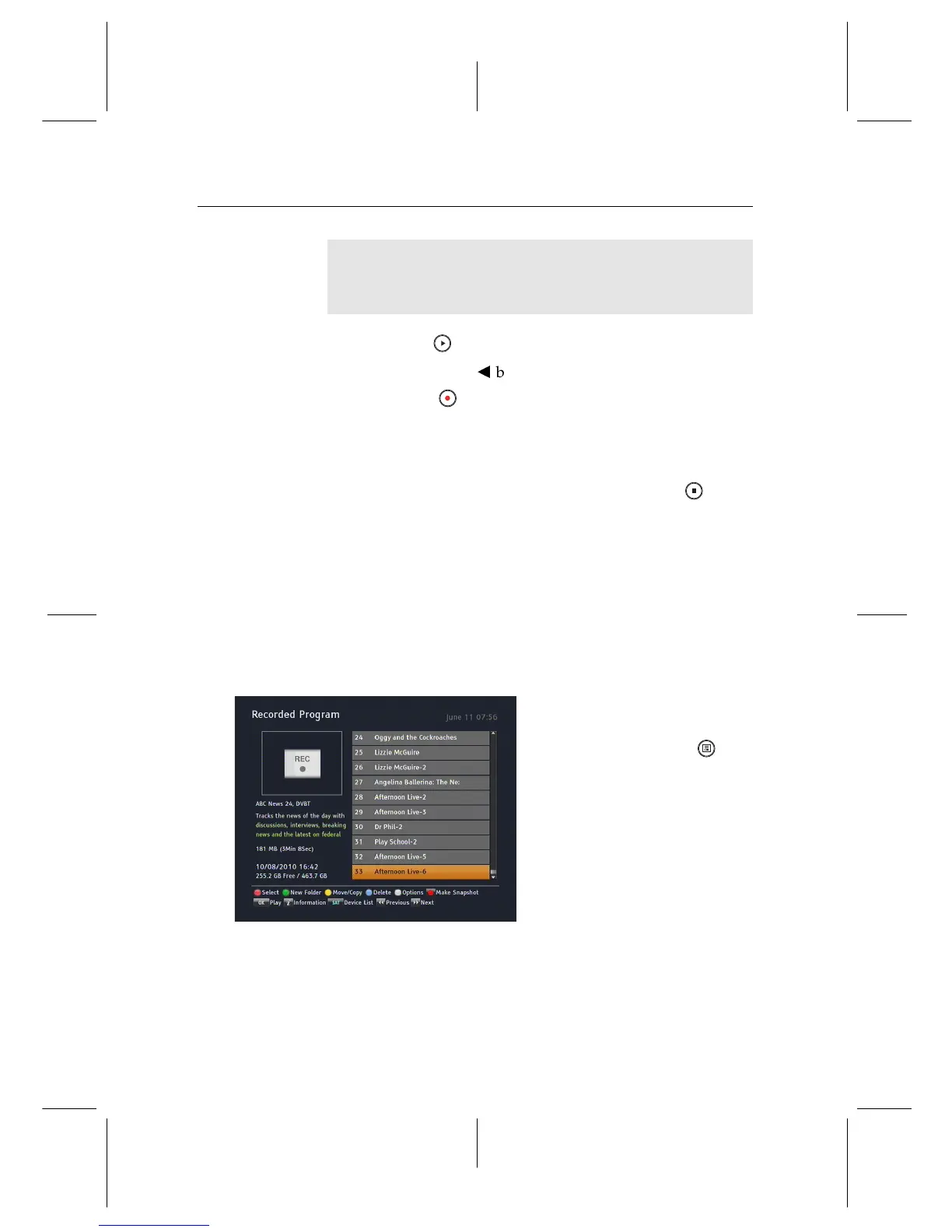
Select the Recording >
Recorded Program menu or
alternatively press the but-
ton to display the recorded
programme list. The file in-
formation is comprised of the
following elements: file num-
ber, file name, recording time,
running time, file size and so on.
You can play, move, delete, rename and lock a recording file.
You can also sort the recording files by file name, running time
or file size. In addition, you can make a new folder.


 To Next Page