5
5.2 Watching television 33
To remove the currently highlighted favourite grop or service,
select Delete item in the additional option box, then you get
asked for confirmation; with the choice of Yes, it will be re-
moved.
5.2.3 Viewing programme information
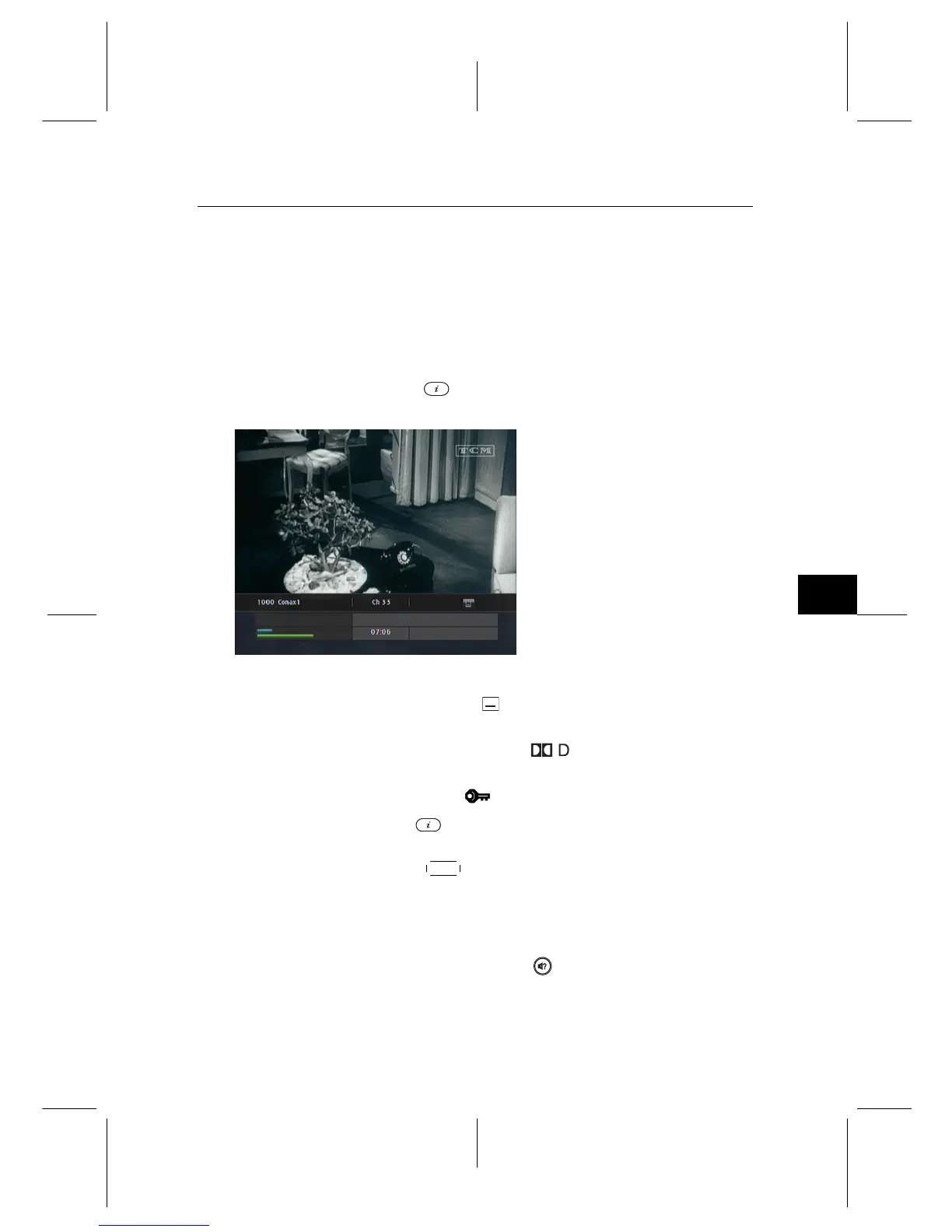
Pressing the button displays the information box, on
which you can see all of the following:
• Service number and name
• Signal level and quality
• Programme name
• Programme classification sign
• Programme summary
• Broadcasting time
• Current time
In addition, you might see the following symbols:
• Subtitle symbol ( ) if subtitle tracks are provided on the
current programme.
• Dolby Digital symbol ( ) if a Dolby Digital audio
track is provided on the current programme.
• Lock symbol ( ) if the current service is locked.
Pressing the button once more displays detailed informa-
tion about the current programme. To hide the information
box, press the
EXIT button.
5.2.4 Selecting audio tracks
Some programmes are provided with audio tracks in one or
more languages. Pressing the button displays available au-
dio tracks. Once you select an audio track, that track will be


 To Next Page