4
19
Chapter 4
Preference Settings
4.1 Video and audio settings
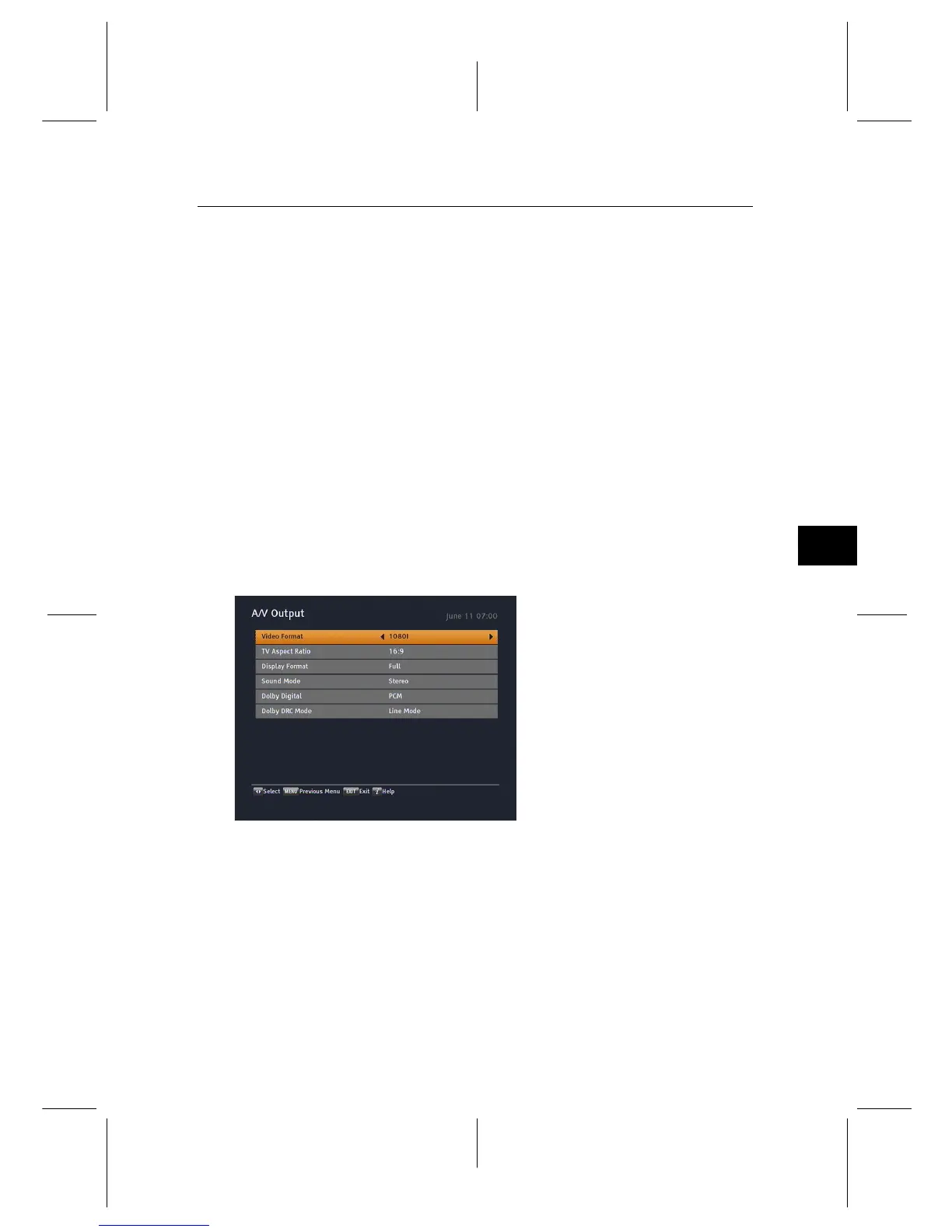
You have to configure the video
and audio settings appropriately
for your television set and other
devices. Select the Settings >
A/V Output menu. You should
see a screen like the left figure.
4.1.1 High definition television
The digital receiver supports various video resolutions from
576 to 1080. In general, a resolution of 720 or more is consid-
ered high definition. The higher the resolution is, the better
the quality is. However, if your television set does not sup-
port high definition, you cannot enjoy high definition quality
picture.


 To Next Page