7
7.1 Recording a programme 43
While a recording is going on, you can watch or record another
service. To additionally record another service, switch to the
service you want to record, and press the button. Once a
recording is started, it is put on the recorded programme list
even though it is not finished yet. The recording file is named
the program name if available or after its service name with
a suffix of a number. To view the recorded programme list,
press the button or alternatively select the Recording >
Recorded Program menu. See §7.2 for detailed description
about the recorded programme list.
7.1.2 Timer recording
You can set a programme to be recorded at a specific time.
Even if the digital receiver is in standby mode, it will switch
into active mode and start recording at a specified time. When
the recording comes to the end, the digital receiver will switch
back into standby mode again in one minute. However, if you
press any button on the remote control or on the front panel
even just one time, the digital receiver will not switch into
standby mode.
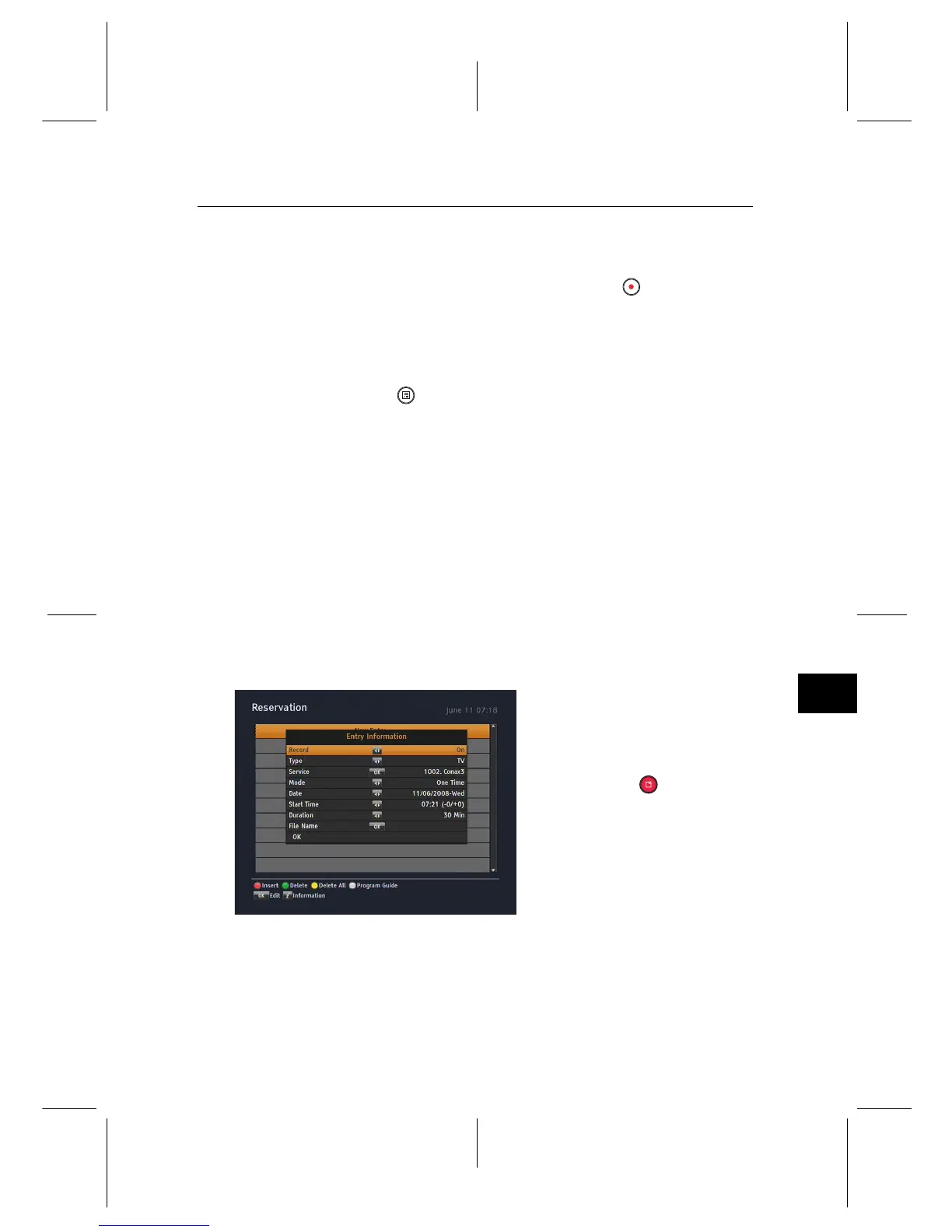
To add a timer recording, se-
lect the Recording > Reserva-
tion menu, then the timer list will
be displayed. To add a new timer
event, press the button, and a
box like the left figure appears.
Take the following steps:
1. Set the Record option to On to make a recording. If this
option is set to Off, the digital receiver will turn on at the
specified time but not record; instead, you may record
with your video recorder or suchlike in this case.


 To Next Page