60 Accessing via Network
Your router may be assigned to a dynamic IP address by an
Internet service provider. So if the router has rebooted, you
cannot access it unless someone in your home can inform you
of the changed IP address. However, many routers support
Dynamic Domain Name System (DDNS) service, which can
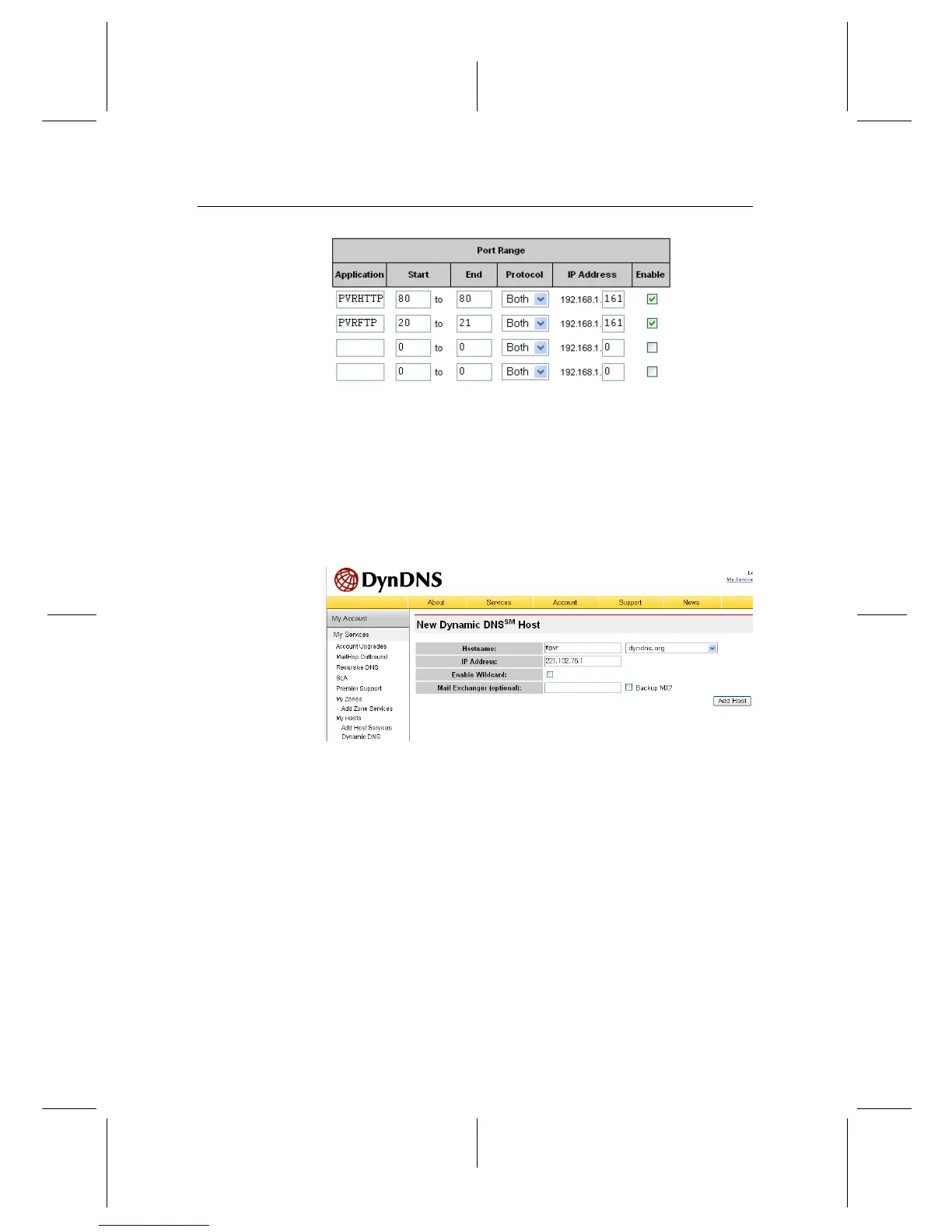
settle this problem. The following image is an example of one
such DDNS service provider.
If you use a DDNS service, you can access your router with
a domain name. The instructions on how to use the DDNS
service are as follows:
1. Make an account on a web site providing DDNS service,
which should be supported by your router.
2. Configure your router with the account so that it can
communicate with the web site.


 To Next Page