EasyManua.ls Logo

Tork DGS100A - User Manual

Tork DGS100A
16 pages
Print Icon
To Next Page IconTo Next Page
Loading...
INSTRUCTION MANUAL
MLI-198(B)
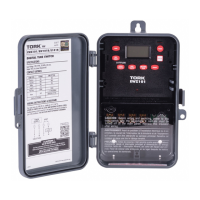
DIGITAL TIME SWITCH
7 DAY
DGS100A
DGS100A-12
DGS100A-24
FOR TECHNICAL SUPPORT:
888.500.4598
LISTED
888.500.4598 • www.nsiindustries.com
Question and Answer IconNeed help?

Do you have a question about the Tork DGS100A and is the answer not in the manual?

Summary

Installation and Setup

Product Installation

Instructions for physically installing the unit and connecting wires.

Clock and Date Configuration

Clock Format Selection

Set the time display to 12-Hour (AM/PM) or 24-Hour format.

Setting the Current Time

Adjust the hour and minute to reflect the current time.

Setting the Current Date

Configure the month, day, and year for accurate operation.

Schedule Programming

Setting Schedule Events and Days

Defines ON/OFF times, cycle usage, and days for each schedule.

Tork DGS100A Specifications

General IconGeneral
BrandTork
ModelDGS100A
CategoryTimer
LanguageEnglish

Related product manuals