g228804
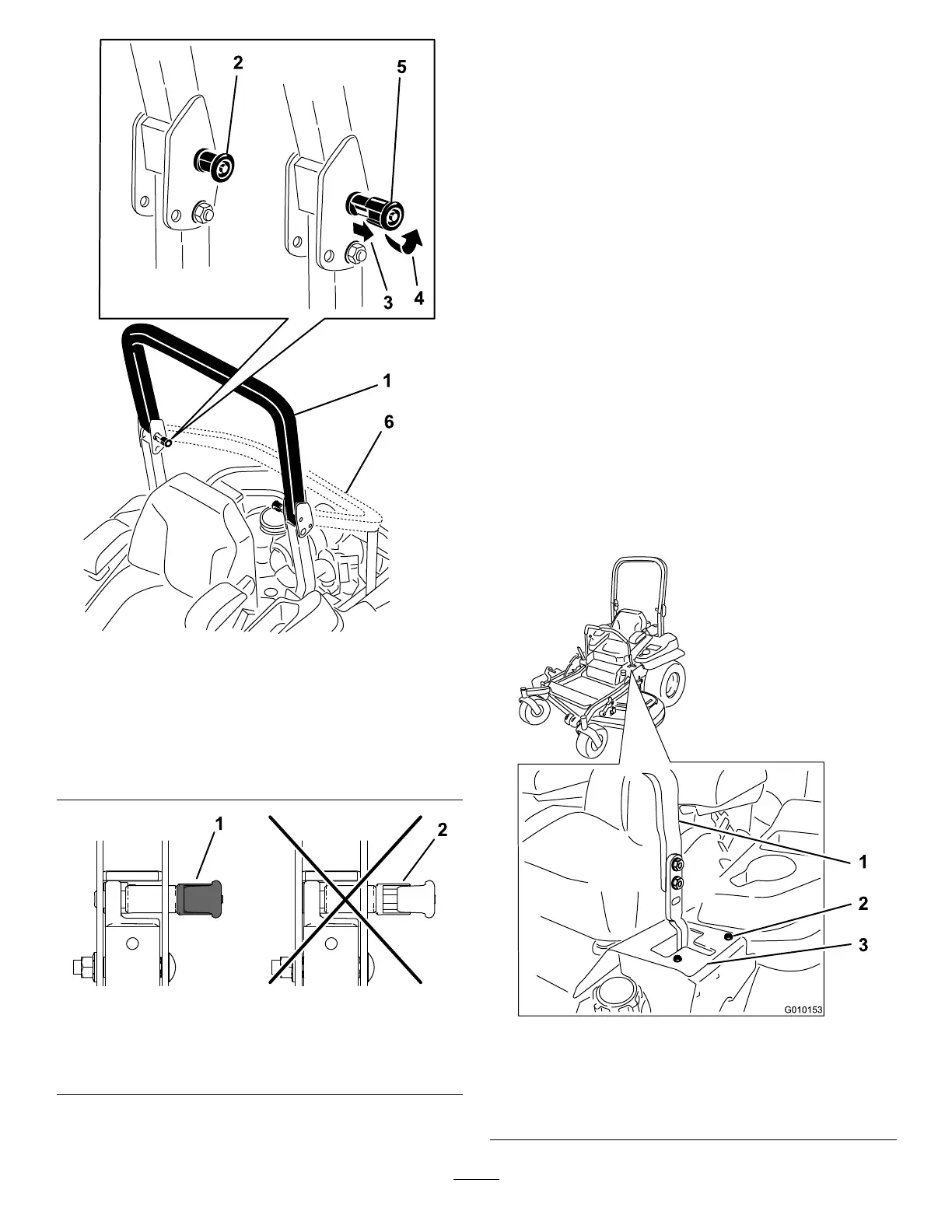
Figure75
1.Rollbarintheupright
position
4.Rotatetheroll-barknob90
degrees.
2.Roll-barknobinthe
latchedposition
5.Roll-barknobinthe
unlatchedposition
3.Pulltheroll-barknobout
androtateit90degrees.
6.Rollbarinthefolded
position
g228981
Figure76
1.Engaged2.Partiallyengaged—donot
operatewiththerollbarin
thisposition.
AdjustingtheTracking
1.Disengagetheblade-controlswitch(PTO).
2.Drivetoanopenatarea,movethe
motion-controlleverstotheNEUTRAL-LOCK
position.
3.MovethethrottlemidwaybetweentheFASTand
SLOWpositions.
4.Movebothmotion-controlleversalltheway
forwarduntiltheybothhitthestopsintheT-slot.
5.Checkwhichwaythemachinetracks.
6.Engagetheparkingbrake,shutofftheengine,
andremovethekey.
7.Adjustthestopplatesasneeded.
•Ifthemachinetrackstotheright,loosenthe
boltsandadjusttheleftstopplaterearward
ontheleftT-slotuntilthemachinetracks
straight(Figure77).
•Ifthemachinetrackstotheleft,loosenthe
boltsandadjusttherightstopplaterearward
ontherightT-slotuntilthemachinetracks
straight(Figure77).
8.Tightenthestopplate(Figure77).
g010153
Figure77
Leftcontrollevershown
1.Controllever3.Stopplate
2.Bolt
56



 To Next Page