g001297
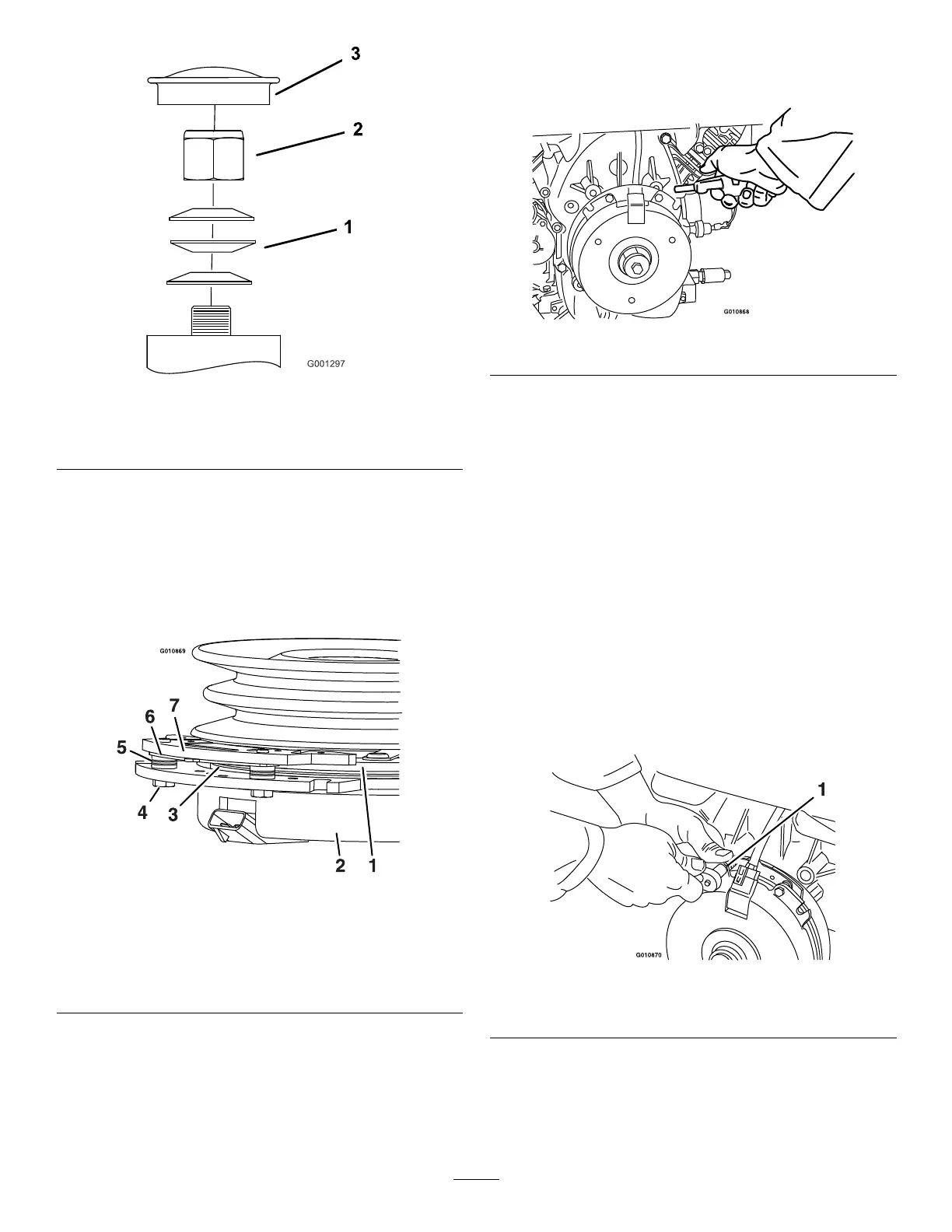
Figure80
1.Springwashers
3.Dustcap
2.Locknut
RemovingtheClutchShim
Somelatermodelyearunitshavebeenbuiltwith
clutchesthatcontainabrakeshim.Whentheclutch
brakehasworntothepointwheretheclutchnolonger
engagesconsistently,youcanremovetheshimto
extendtheclutchlife.
g010869
Figure81
1.Armature5.Brakespacer
2.Fieldshell6.Re-gapshim
3.Rotor7.Brakepole
4.Brake-mountingbolt
1.Parkthemachineonalevelsurface,disengage
theblade-controlswitch(PTO),andengagethe
parkingbrake.
2.Shutofftheengine,removethekey,andwait
forallmovingpartstostopbeforeleavingthe
operatingposition.
3.Usinganaircompressor,blowoutanydebris
fromunderthebrakepoleandaroundthebrake
spacers(Figure82).
g010868
Figure82
4.Checktheconditionofthewire-harnessleads,
connectors,andterminals.
Note:Cleanorrepairasnecessary.
5.Verifythat12Vispresentattheclutchconnector
whentheblade-controlswitch(PTO)switchis
engaged.
6.Measurethegapbetweentherotorand
armature.Ifthegapisgreaterthan1mm(0.04
inch),dothefollowingsteps:
A.Loosenbothbrake-mountingbolts1/2to1
fullturnasshowninFigure83.
Note:Donotremovethebrakepolefrom
theeldshell/armature.Thebrakepole
hasworntomatchthearmatureandneeds
tocontinuetomatchafteryouremovethe
shimtoensureproperbraketorque.
g010870
Figure83
1.Brake-mountingbolt
B.Usingneedle-nosepliers,orbyhand,hold
thetabandremovetheshim(Figure84).
Note:Donotdiscardtheshimuntilthe
clutchisfunctioningproperly.
58



 To Next Page