Page 8
STARTING UP THE LSQ-40L SOFTWARE
(Be sure your scale and hub are powered up and connected at this time)
1). Launch the LSQ-40L software. On the logon screen, do not enter a password.
Click on ACCEPT to continue.
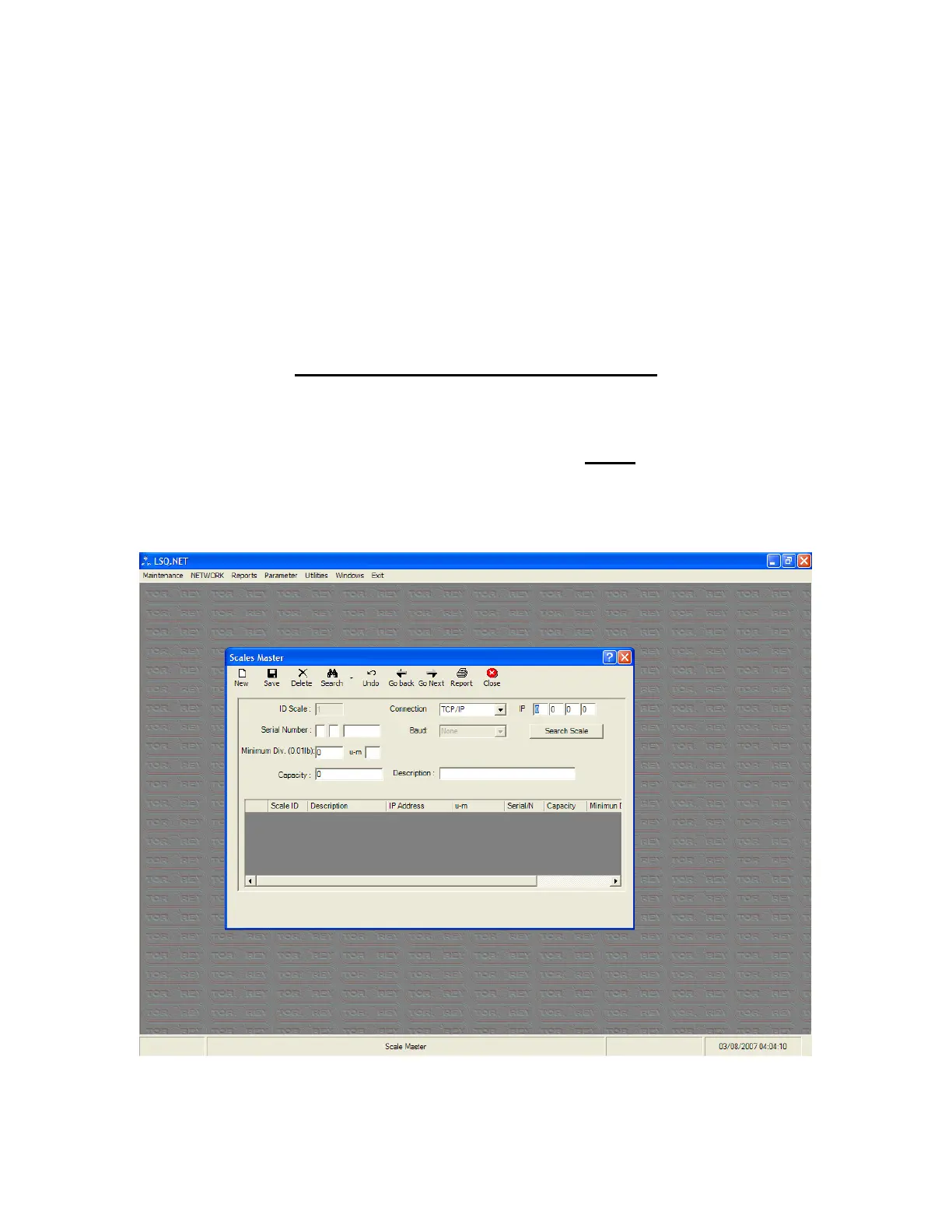
2). At the top of the screen, click on MAINTENANCE and then SCALE MASTER.
Below is the screen you should be viewing at this point.



 To Next Page