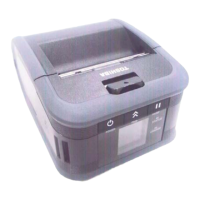
Toshiba - B-EX4T1 Printer SetupToshiba - B-EX4T1 Printer Setup
B-EX4T1 Printer Setup for Auto Labeling
EasyEasy 20 20 minute(s)minute(s)
Difculty
Duration
ContentsContents
Step 1 - Inner & Outer
Step 2 - Rewind Spool
Step 3 - Printhead access
Step 4 - Setting Rewinder
Step 5 - Label Guides
Step 6 - Sensor Position
Step 7 - Closing Label Head
Step 8 - Connecting printer to PC
Step 9 - Initial Power up
Step 10 - Using BCP to setup the printer
Step 11 - Change Settings
Step 12 - Power printer off and On
Step 13 - Testing
Step 14 - Set the IP Address for the Customers network
Comments
Step 1 - Inner & Outer
The instructions for both the Inner & Outer wound labels are on the
inside of the open lid.

 Need help?










 To Next Page
 General