12
EN
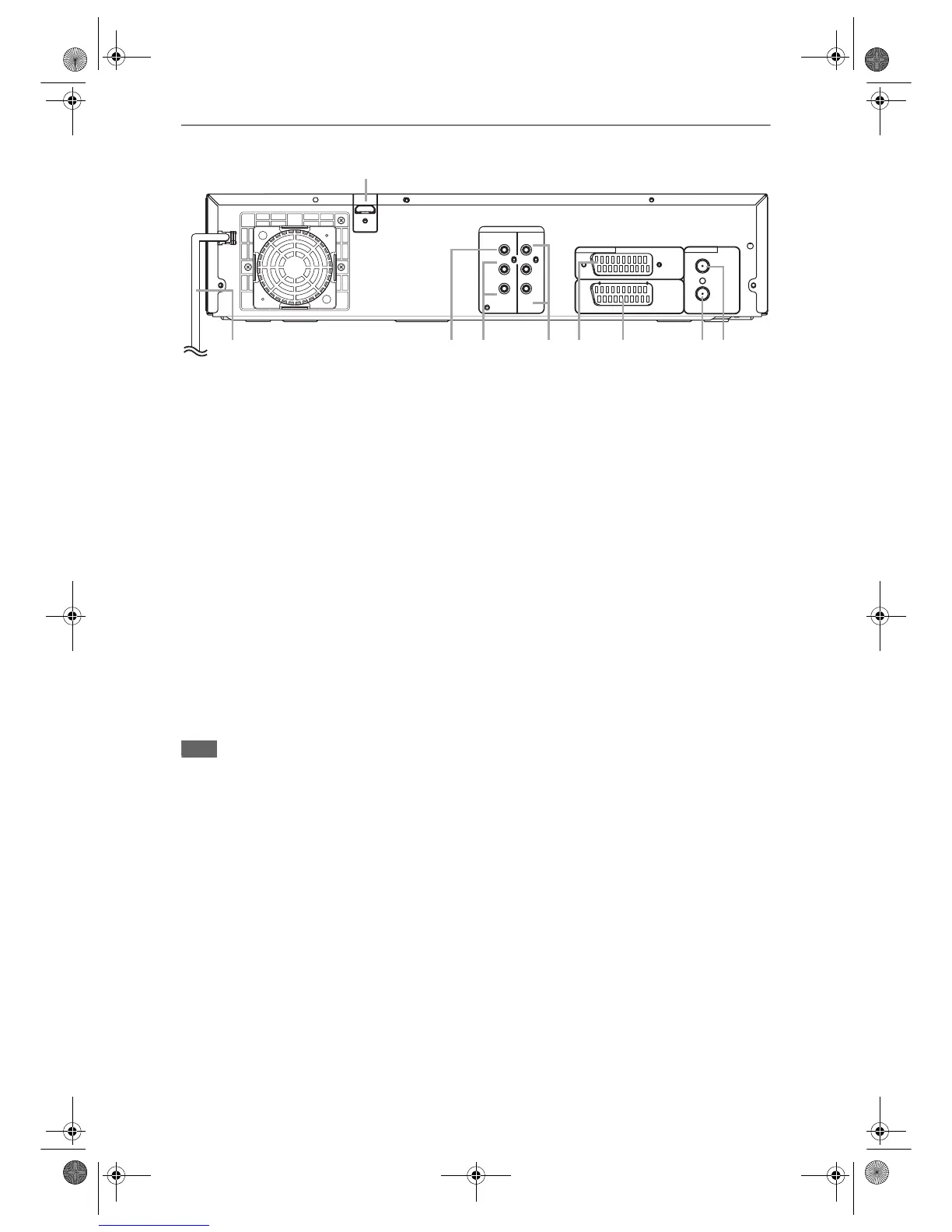
Rear Panel
1 Mains cable
• Connect to a standard AC outlet.
2 HDMI OUT jack (DVD)
• Connect to a display with an HDMI compatible
port. Use a commercially available HDMI cable.
3 DIGITAL AUDIO OUT (COAXIAL) jack
(DVD)
• Connect to an amplifier with a digital input jack
such as a Dolby Digital decoder, DTS decoder
or MPEG decoder. Use a commercially
available Coaxial cable.
4 AUDIO OUT (L/R) jacks (DVD)
• Connect to the audio input jacks on your TV.
Use a commercially available Audio cable.
5 COMPONENT VIDEO OUT jacks (DVD)
• Connect to the component video input jacks on
your TV. Use a commercially available
Component Video cable.
6 AV2 (DECODER) socket (DVD / VCR)
• Connect to VCR, camcorder, or other
Audio-Video equipment. Use a commercially
available Scart cable.
7 AV1 (TV) socket (DVD / VCR)
• Connect to the Scart socket on your TV. Use a
commercially available Scart cable.
8 ANTENNA OUT
• Connect to the Aerial jack on your TV, cable box
or direct broadcast system to output the signal
received at ANTENNA IN. Use the supplied RF
cable.
9 ANTENNA IN
• Connect to an antenna or a cable.
Note
• Do not touch the inner pins of the jacks on the rear panel. Electrostatic discharge may cause permanent damage
to the unit.
• This unit does not have an RF modulator.
AUDIO
OUT
HDMI OUT
DVD
COAXIAL
L
R
Y
DVD/VCR
AV2(DECODER)
AV1(TV)
ANTENNA
IN
OUT
DIGITAL
AUDIO OUT
COMPONENT
VIDEO OUT
PB
/CB
PB
/CB
/CR
PR
93784 61
2
5
E9NG1BD_EN.book Page 12 Monday, April 7, 2008 5:54 PM



 To Next Page
 Loading...









