54
EN
Basic Playback
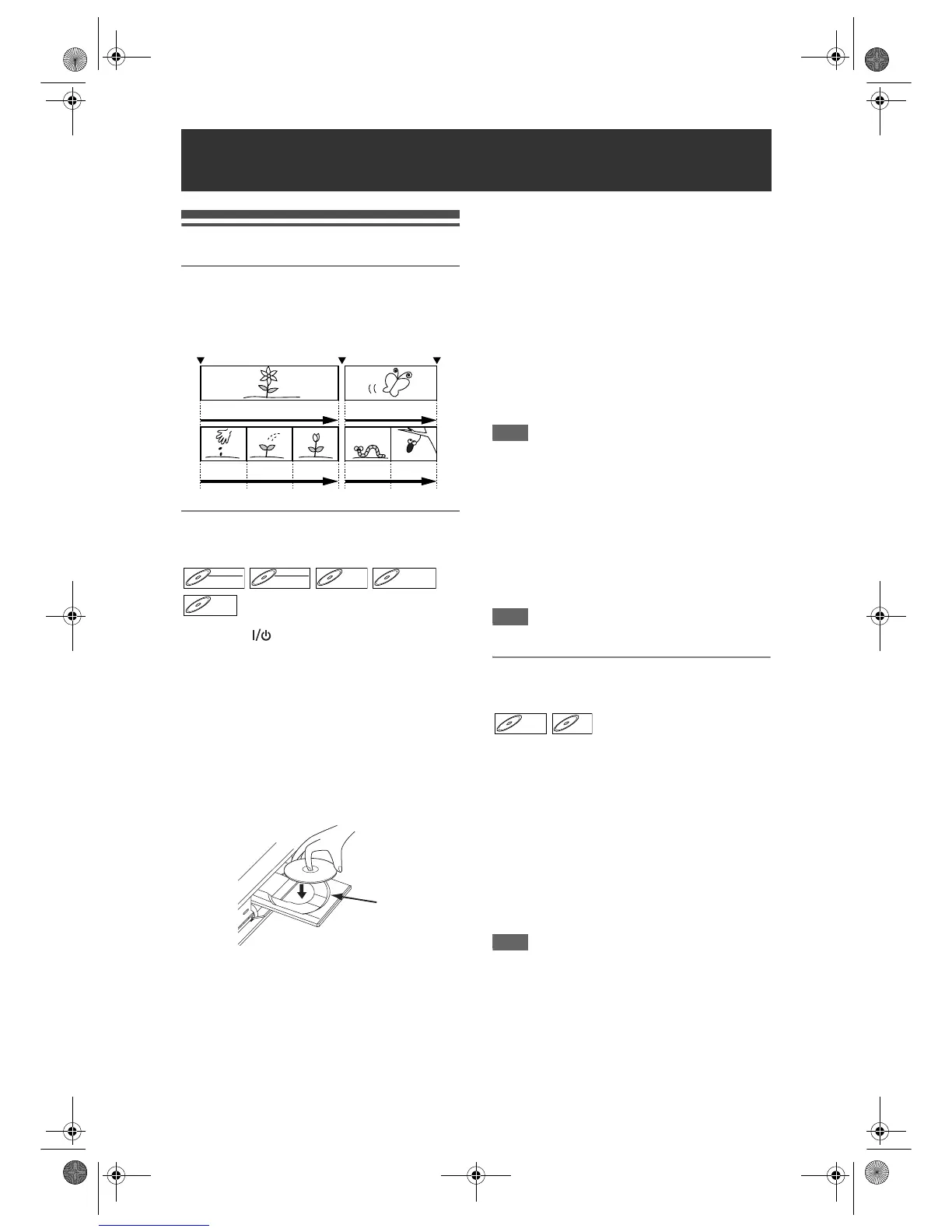
Hint for DVD Playback
The contents of a DVD are generally divided into
titles. Titles are sometimes further subdivided into
chapters.
Playing Back a DVD-RW / DVD-R /
DVD+RW / DVD+R Disc
1 Press [ ON / STANDBY] to turn on
the unit.
Turn on the TV and be sure to select the input to
which the unit is connected.
2 Press [DVD].
3 Press [OPEN / CLOSE O] to open the
disc tray.
4 Place the disc on the disc tray with
its label facing up. Be sure to align
the disc with the disc tray guide.
5 Press [OPEN / CLOSE O] to close
the disc tray.
6 Press [TOP MENU] to display the title
list.
You can switch between the “Original” and
“Playlist” in the VR mode DVD-RW disc using
[DISC MENU].
7 Select the desired title using
[U / D / L / P], then press
[ENTER / OK].
Pop up window will appear.
8 Select “Play From Start” using
[U / D], then press [ENTER / OK].
Playback will start.
9 Press [STOP S] to stop playback.
To eject the disc, press [OPEN / CLOSE O] to
open the disc tray, then remove the disc. Press
[OPEN / CLOSE O] to close the disc tray before
turning off the unit.
Hint
• For DVD-R (Video mode), DVD-RW (Video mode)
and DVD+R discs that are already finalised, a Title
menu will be displayed instead of thumbnails.
• After you finalise the DVD+RW, you can call up the
title list by pressing [TOP MENU], or you can call up
the Title menu by pressing [DISC MENU].
• You can resume playback from where you stopped
(Resume playback).
See page 60 for details.
• You can also start playback by pressing [PLAY P]
instead of [ENTER / OK] at the steps 7 and 8.
Note
• Some discs may start playback automatically.
Playing Back a DVD-V / Video CD
(without PBC Function)
1 Follow the steps 1 to 5 in “Playing
Back a DVD-RW / DVD-R / DVD+RW /
DVD+R Disc” on this page.
2 Press [PLAY P] to start playback.
Playback will start.
If you are playing back a DVD-Video, a menu may
appear.
See page 58 for details.
3 Press [STOP S] to stop playback.
Note
• Some discs may start playback automatically.
• For playing back a Video CD with PBC function, see
page 59.
Playback
Start Rec. Stop/Start Stop Rec.
Title 1 Title 2
Chapter 1 Chapter 2 Chapter 3 Chapter 1 Chapter 2
DVD-RWDVD-RW
Video
DVD-RWDVD-RW
VR
DVD-RDVD-R D



 To Next Page
 Loading...









