92
3.SETTING OF BASIC COPY MODES
5.DUPLEX COPYING (Cont.)
3
5. Book-type Originals -> 2-Sided Copies
* Acceptable paper size for this function is LT only.
1
Place paper in the drawer(s).
- "1.SETTING COPY PAPER" Page 38
- When using this mode in bypass copying ("Bypass Copying"
Page 60), be sure to specify the paper size.
2
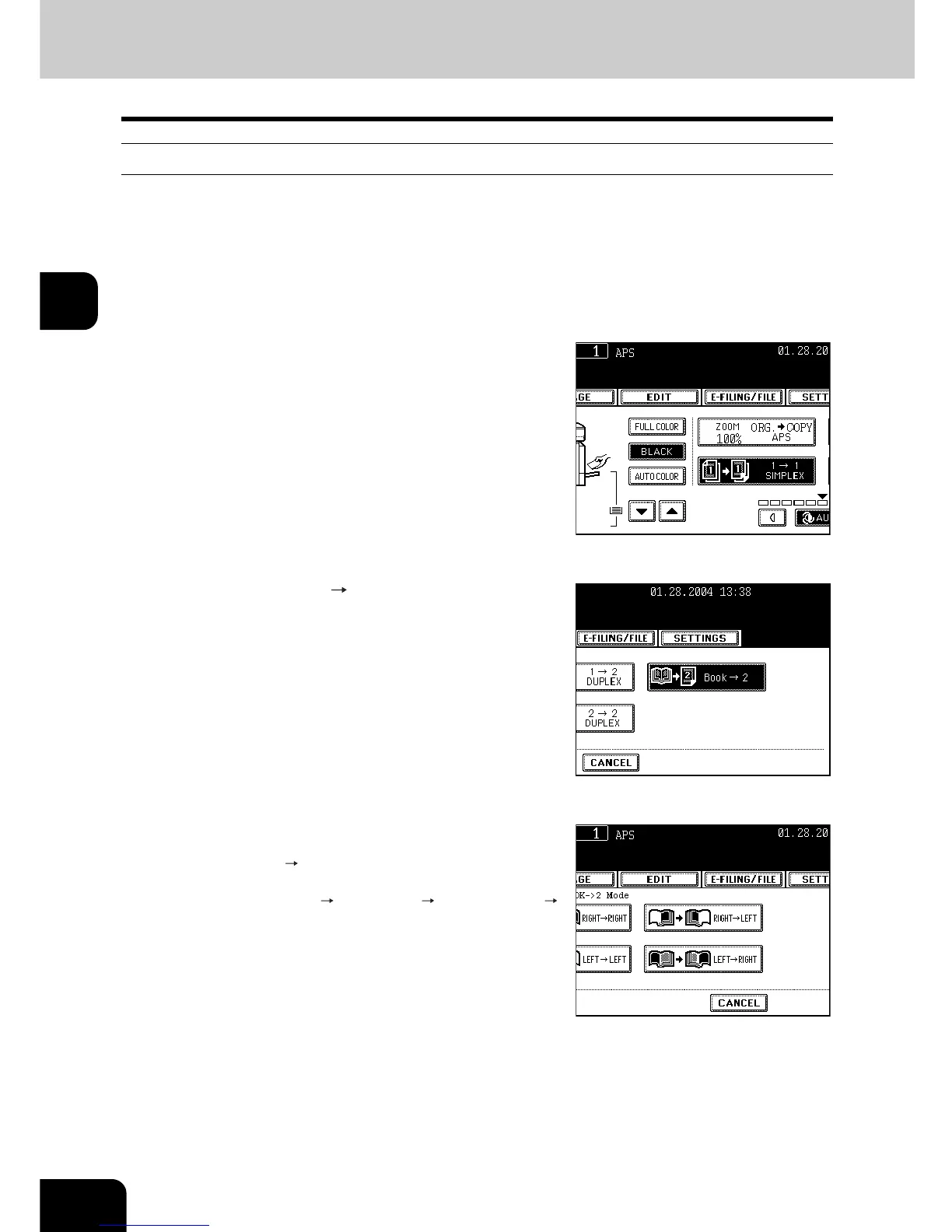
On the basic menu, press the highlighted
button on the right.
3
Press the [BOOK 2] button.
4
Select the book copying type.
- Press the [RIGHT RIGHT] button if copying should start at a
right-hand page and end at a right-hand page and also choose
from among the [RIGHT LEFT], [LEFT LEFT] and [LEFT
RIGHT] buttons as well.








 To Next Page