1.PREPARATION
Components 17
1 PREPARATION
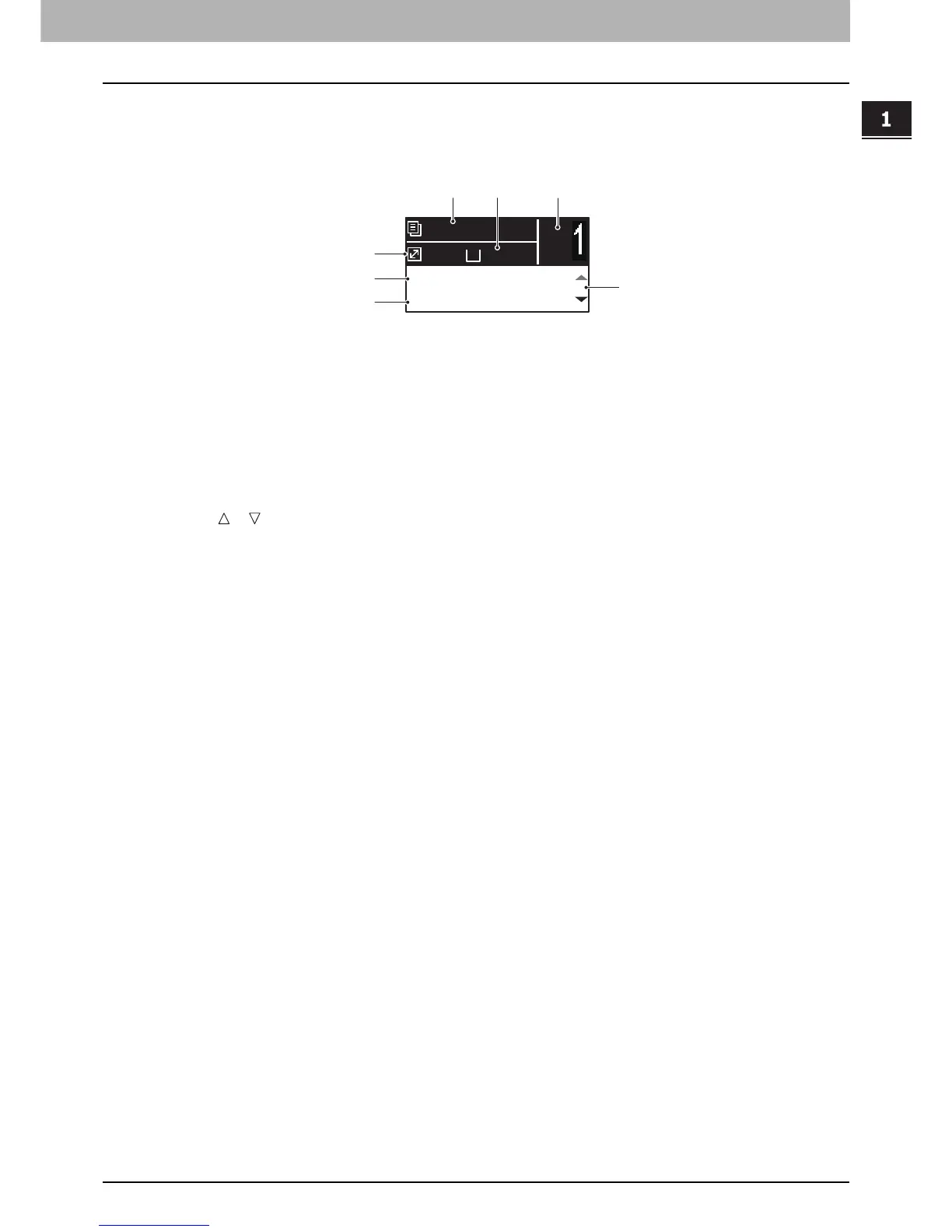
Main screen (Copy)
Appears after the power of the equipment is turned ON and the warm-up is finished. This screen is called “main screen
(Copy)”.
1. Message
Displays the current status or error messages.
2. Paper size
Displays the paper size specified for the drawer or the bypass tray.
3. Copy quantity
Displays the number of copies.
4. Scroll icon
Displays or that you can press on the current screen or menu.
5. Original mode
Displays the mode to copy the original.
6. Exposure
Displays the copy density.
7. Reproduction ratio
Displays the reproduction or zoom ratio to copy.
A4
1
READY
100%
AUTO EXPOSURE
TEXT/PHOTO
2
5
6
1
3
7
4



 To Next Page
 Loading...










