142
5.USING THE EDITING FUNCTIONS
5
4. DUAL PAGE
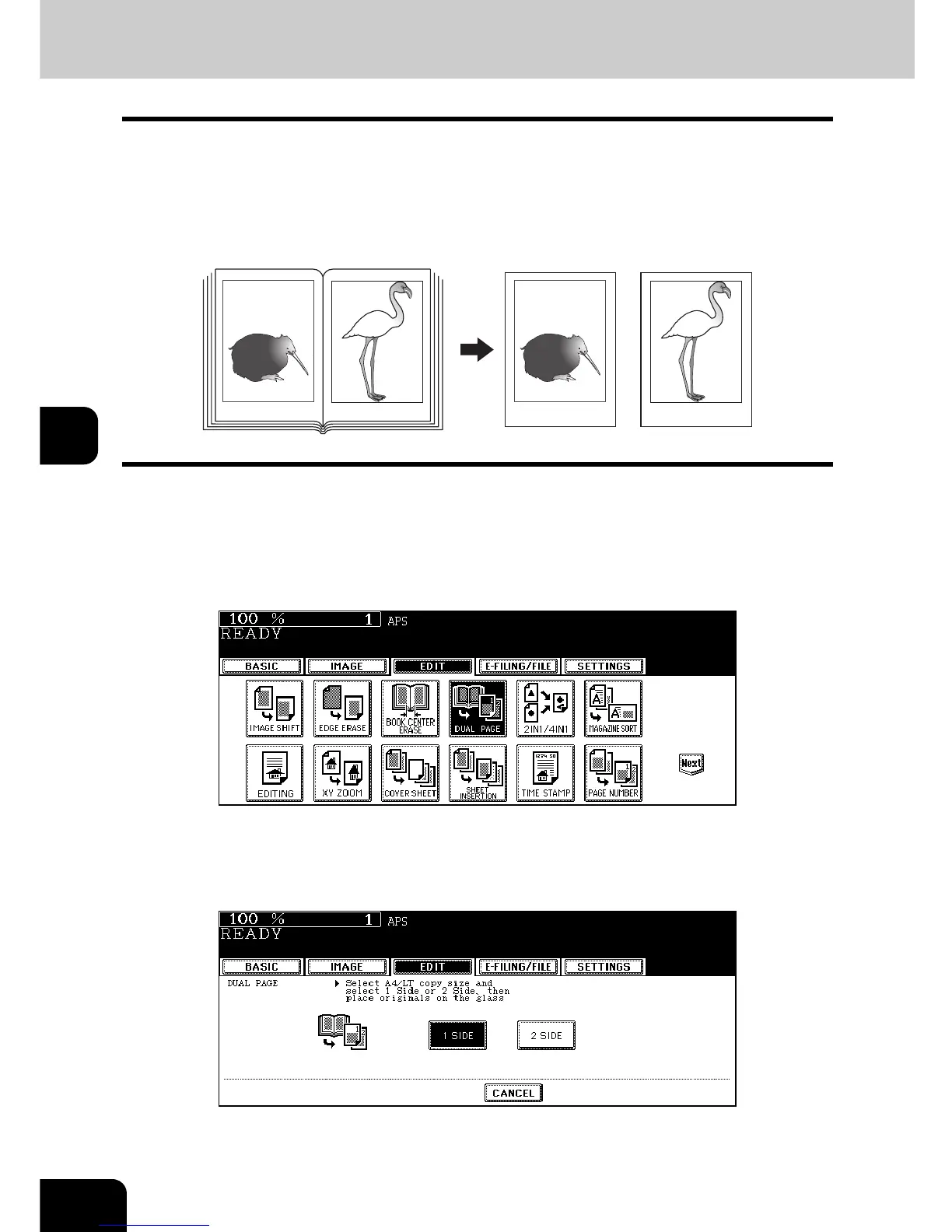
This function allows the facing pages of a book or magazine to be copied page by page onto 2 separate
sheets of paper or duplex-copied on one sheet. It is not necessary to move the original on the glass. You
can also place a pair of LT sized originals side by side and copy them on separate sheets of paper.
• Acceptable paper sizes for this function is LT only.
• To use this function for the e-STUDIO202L, you need to install the automatic duplexer (optional).
1
Place paper in the drawer(s).
2
Press the [EDIT] button to enter the edit menu, and then the [DUAL
PAGE] button.
3
Press the [1 SIDE] (or [2 SIDE]) button.
1 SIDE: Making copies of the facing pages on 2 separate sheets of paper page by page
2 SIDE: Making duplex copies of them on one sheet
• The yellow indicator line for placing a book moves near the center of the original glass.
• If you need a binding margin, set the right or left margin. ( P.132 “Creating a right or left margin”)
-12- -13- -12-
-13-



 To Next Page
 Loading...









