255
8
Scan log
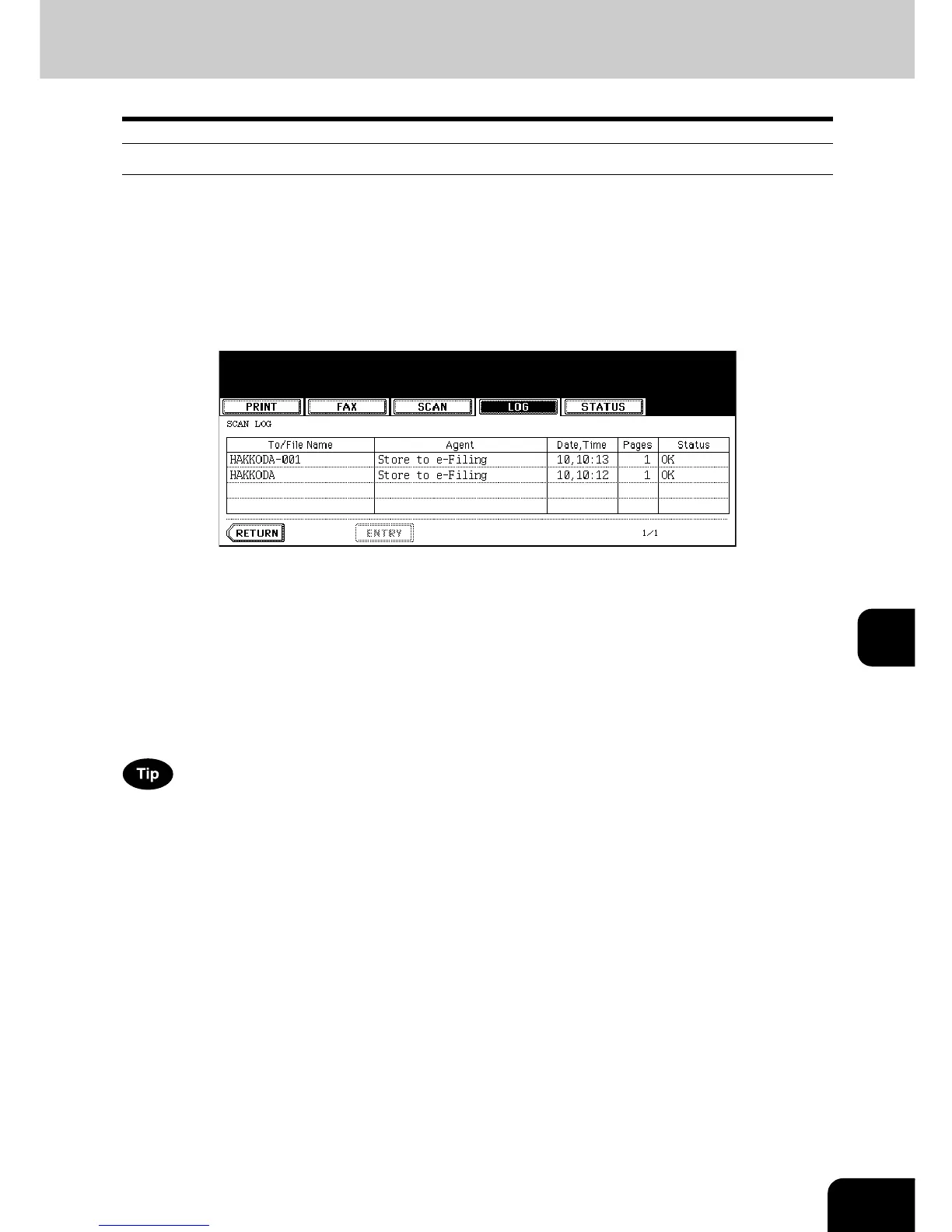
When you press the [SCAN] button on the log menu, the histories of the following items are displayed.
• Job filed in e-Filing by copying
• Job filed in a shared folder by copying (= SAVE AS FILE) (The Scanner Kit or the Printer/Scanner Kit
(both optional) is necessary.)
• Job filed in e-Filing or a shared folder by scanning (= SCAN TO FILE) (The Scanner Kit or the Printer/
Scanner Kit (both optional) is necessary.)
• E-mail sent by scanning (= SCAN TO E-MAIL) (The Scanner Kit or the Printer/Scanner Kit (both
optional) is necessary.)
The following information is displayed.
4 jobs are displayed in 1 page. Up to 30 pages (120 jobs) can be displayed. When you want to confirm the
5th and the following jobs, press the [Next] button, and when you want to return to the previous page,
press the [Prev] button.
The following buttons are displayed.
To/File
Name:
Name of the file created or the E-mail address of the recipient
Agent: Function selected for the scan job
Date, Time: Date and time of the scan job
Pages: Number of pages scanned or sent via E-mail
Status: Result is displayed as “OK” or in error codes.
(For the error codes, see P.262 “6.Error Code”.)
[ENTRY]: Press this button to register unregistered E-mail addresses on the scan log list into the
address book. (For details, see P.256 “Registering into address book from log lists”.)
[RETURN]: Press this button to return to the log menu.



 To Next Page
 Loading...









