TOSHIBA
Tough Enough for Today’s World.
OPTIONAL PC CARD REMOVAL
1. Pull out the eject button of the PC card to be
removed.
2. Press firmly to eject the PC card.
3. Grasp the PC card and remove it.
NOTE: Before removing any PCMCIA device, make
sure it is “STOPPED” in the PC Card Manager.
SELECT BAY REMOVAL
1. Turn the computer upside down.
2. Slide the release lever in the direction of the arrow.
3. Pull out the select bay device in the direction of the
arrow.
FIELD REPLACEABLE UNIT DOCUMENTATION
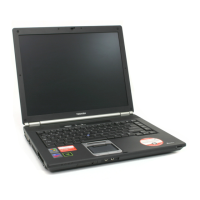
Tecra
TM
8200 Series
Release
lever
Battery
Pack
BATTERY PACK REMOVAL
1. Turn the computer upside down as shown.
2. Slide the battery release lever in the direction of the
arrow.
3. Slide the battery assembly forward and out of the
battery bay.
1. Remove the selectable bay cover.
Eject button
PC card
Release
lever
Select bay
device
Selectable bay cover
CD-ROM
DVD-ROM/CD-RW DRIVE DISASSEMBLY



 To Next Page
 Loading...