EasyManua.ls Logo

Tosibox Lock 150 - Page 27

Tosibox Lock 150
70 pages
Print Icon
To Next Page IconTo Next Page
To Previous Page IconTo Previous Page
Loading...
27
Remote Matching is supported on all products.
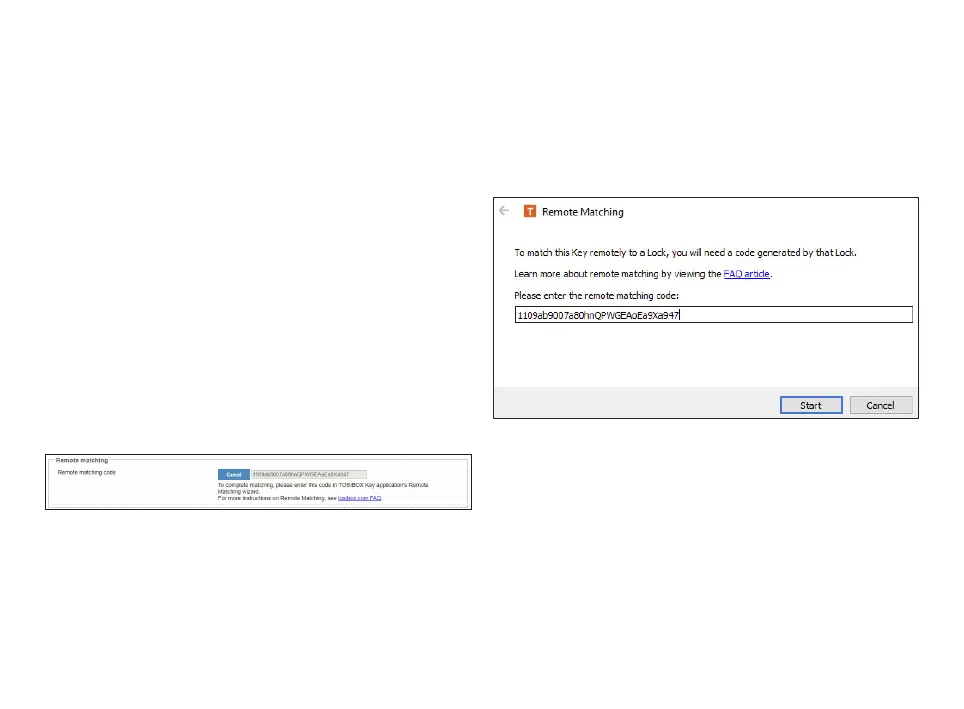
Required Steps to Perform Remote Matching
1. Log in as admin on Node
2. Nodes
Remote Matching title
3. Start Key SW on a PC/Mac
4. 
5. Enter the code in the wizard and click Start

few seconds and the Node is now matched with the Key.

Other manuals for Tosibox Lock 150

Related product manuals