EasyManua.ls Logo

Toto SN970M - Page 10

Toto SN970M
32 pages
Print Icon
To Next Page IconTo Next Page
To Previous Page IconTo Previous Page
Loading...
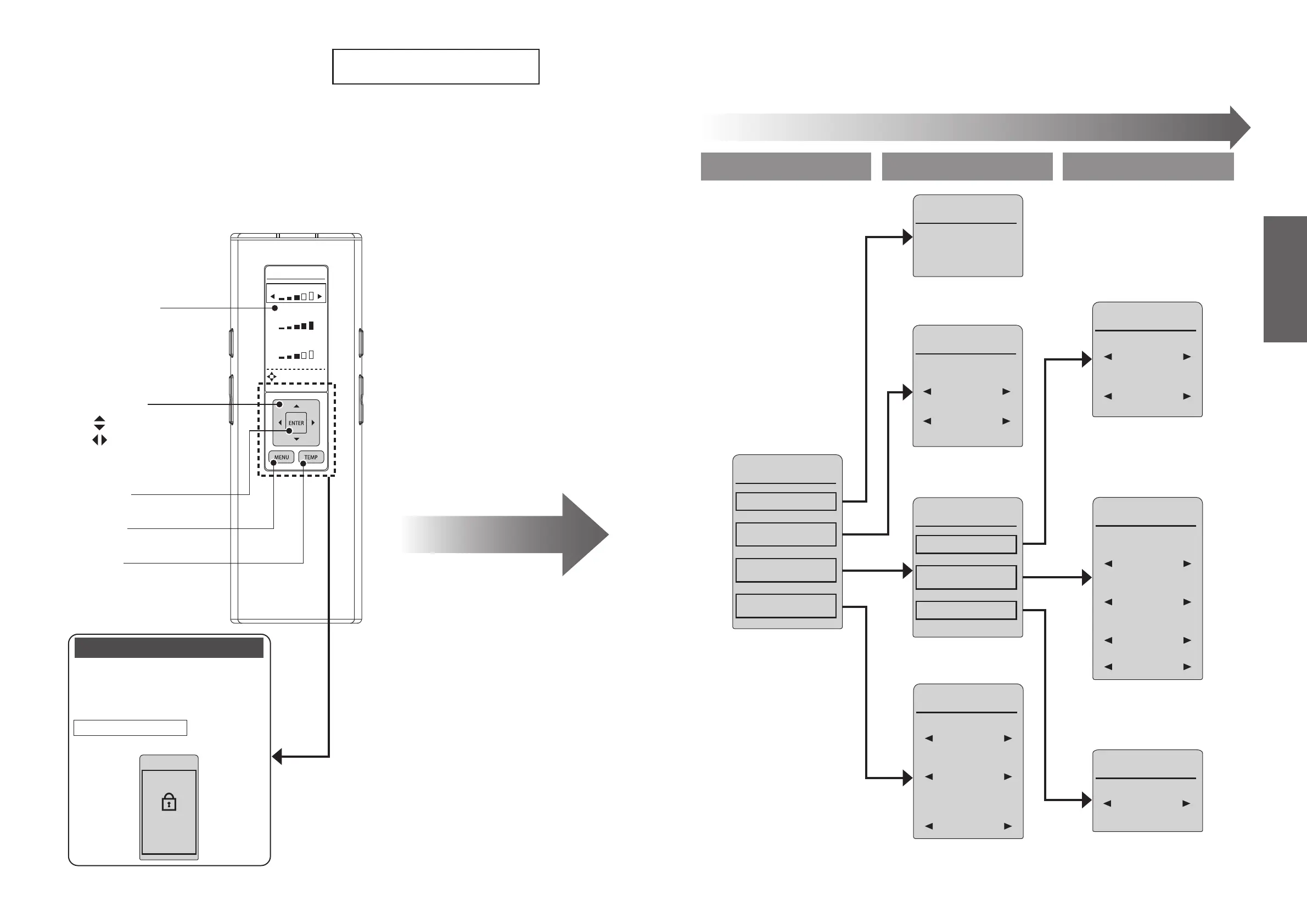
WATER
TEMPERATURE
SETTING
SEAT
DRYER
SETTING LOCK
PRESS ENTER
FOR 2 SEC
TO RESET
DIRECTIONAL
[ENTER]
[MENU]
Select keys
: Select an item
: Select a setting
[TEMP]
Remote control backside
You can lock the settings so that you
do not mistakenly operate the rear
buttons while using the remote
control.
Setting lock
Display screen during setting lock
How to Set (Page 48)
Remote control
display panel
Press [MENU] to display the menu
screen.
18
19
Operation
Basic Operations
About the Menu Screen
This section is an overview of the settings that can be congured with the remote control.
See the corresponding pages for the detailed descriptions.
●•
Level 1 Level 2 Level 3
Menu Screen