What to Do?
If there is no water due to a power outage or water failure
How to ush water in the event of a power outage (when water failure hasn't occurred)
1
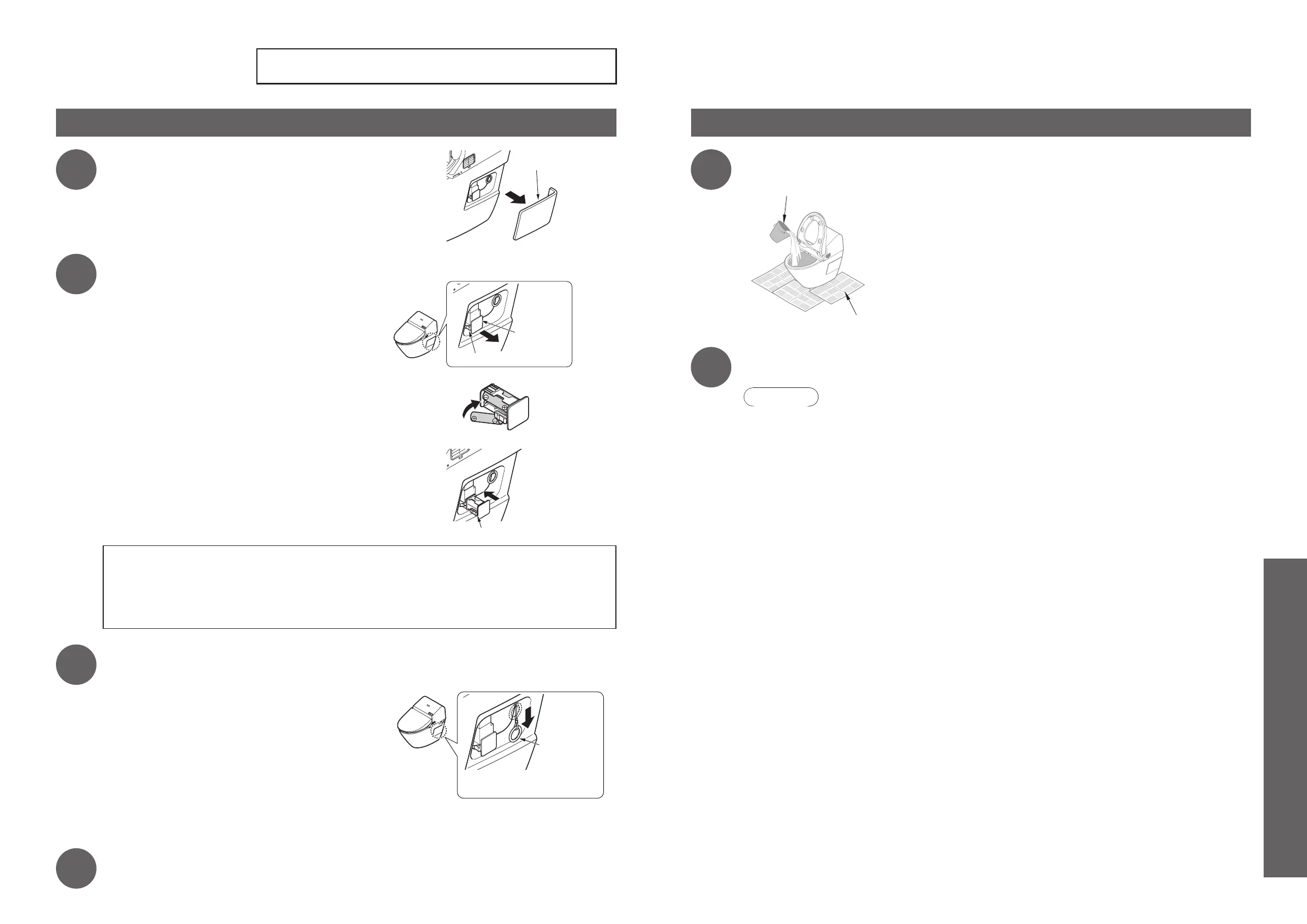
Remove the side cover (right).
2
Insert the batteries (x4) into the battery box.
Squeeze the hooks on the battery box to remove the
1.
battery box from the main unit.
Properly insert four AA batteries.
2.
Place the battery box into the main unit.
3.
Mount the hook in front of you.
About the batteries ■
Use dry cell, alkaline batteries. Follow the instructions below to prevent the batteries from rupturing or leaking
●
fluid.
When replacing the batteries, use new batteries of the same brand.
•
Do not use rechargeable batteries.
•
As a general rule, replace batteries with new ones after about two years.
•
3
Pull the manual ush pull cord on the side of the washlet's main body for
about four or more seconds.
The toilet flushes.
When the manual flush pull cord returns, the tank
•
begins to fill up with water. (It takes about two minutes
for the tank to fill with water.)
* Supply water to the tank for about 2 minutes. During
this time, the tank fills up and the excess water flows
into the toilet. This is normal.
It takes about four seconds for the water to completely
•
evacuate from the tank. Pull down on the manual flush
pull cord until no water remains in the tank.
Manual flush
pull cord
*Pull for approx. 4 seconds
or longer
4
Place the side cover (right) back on.
How to ush water in the event of a water supply failure
1
Use a bucket to ush water.
Newspaper, dustcloth, etc.
Bucket (approximately 5 L )
2
If the water level is low after ushing, add more water.
Prevents odors.
Attention!
If there is a water supply failure, set the auto bowl unit cleaning to "OFF".
●



 To Next Page