Hooking Up Swivel Sensor Cable – cont.
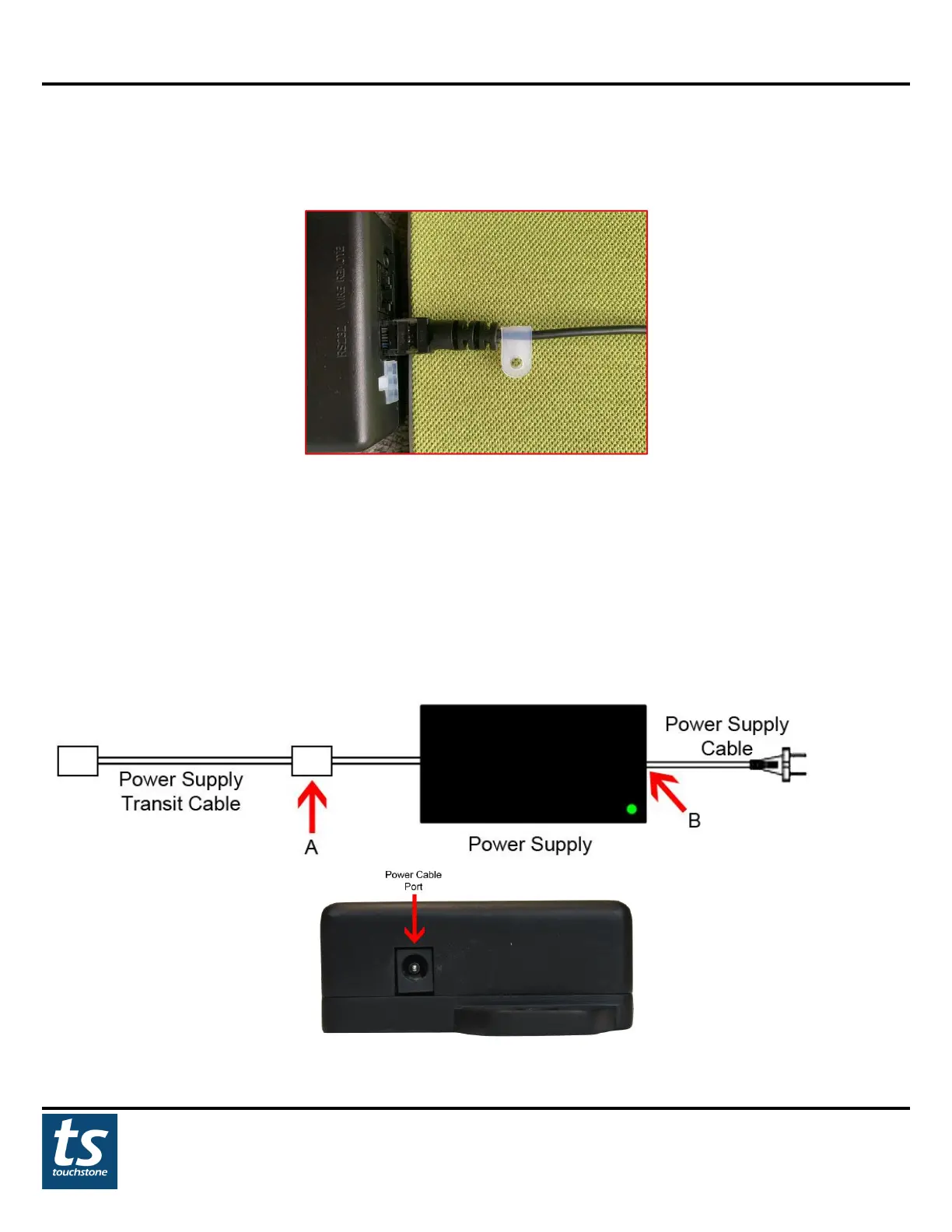
2. Using the cable clips and a ST4x10 wood screw, attach the cable to the cabinet so that the safety plug cable
cannot be removed from the control box.
NOTE: Please be sure that the safety sensor cable is connected to the Swivel Sensor port on the control box at all
times. The lift will operate WITHOUT the swivel sensor plugged into the Swivel Sensor port on the control box
and may cause damage to your lift, TV, or cabinet if the TV is not placed in the home position before operation.
Hooking Up Power Supply
Instructions:
1. Attach the power supply transit cable (A) to the power supply and plug the power supply cable (B) into the
control box.
2. When complete, plug the lift power cable into a wall outlet to power the lift.


 To Next Page