30
Chapter 7
Parental Controls
4. Click View Existing Devices, and select the device to be
controlled. Or, enter the Device Name and MAC Address
manually.
5. Click the
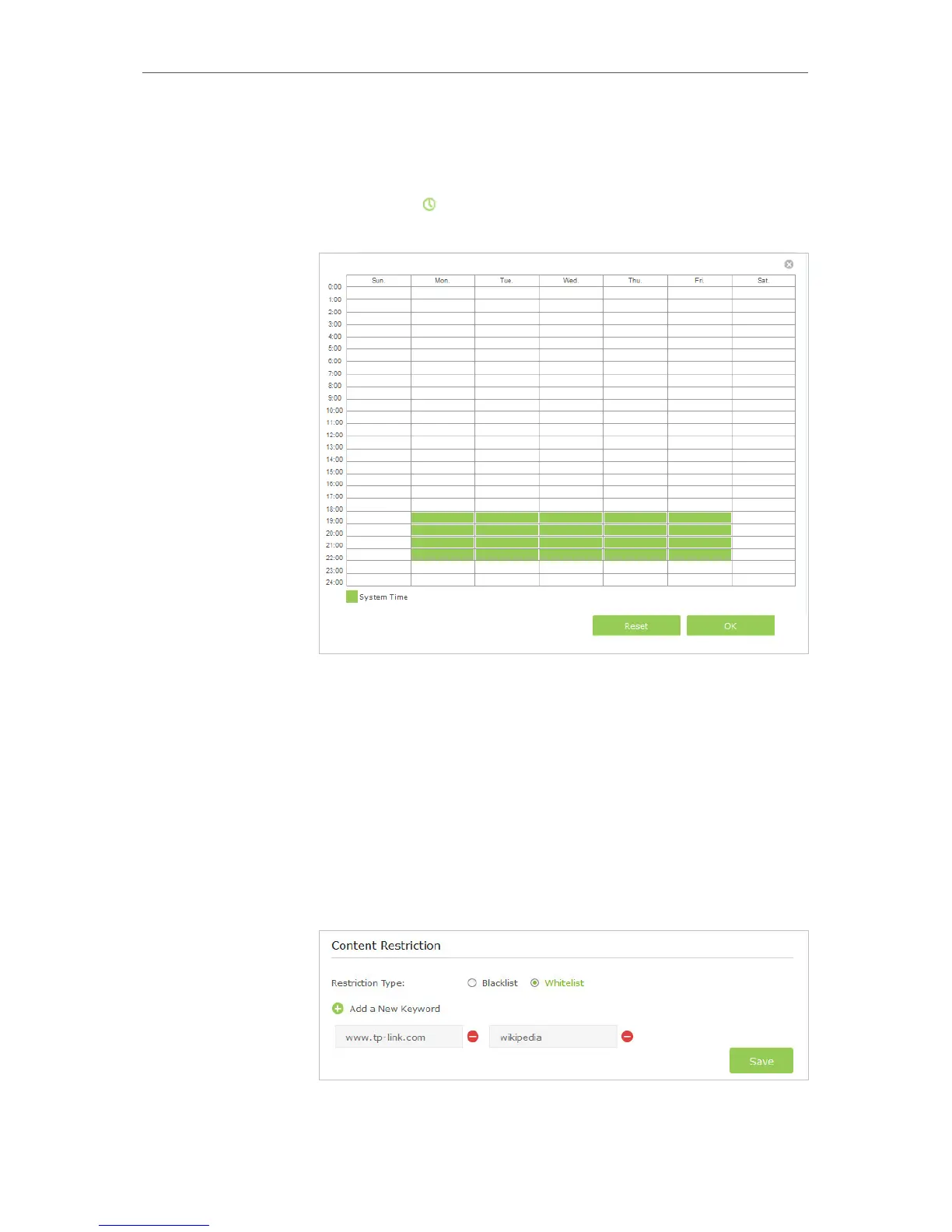
icon to set the Internet Access Time. Drag the
cursor over the appropriate cell(s) and click OK.
6. Enter a Description for the entry.
7. Select the checkbox to enable this entry and click OK.
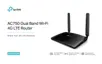
8. Select the restriction tpye.
1 ) With Blacklist selected, the controlled devices cannot
access any websites containing the specified keywords
during the Internet Access Time period.
2 ) With Whitelist selected, the controlled devices can only
access websites containing the specified keywords
during the Internet Access Time period.














 To Next Page