50
Chapter 11
Specify Your Network Settings
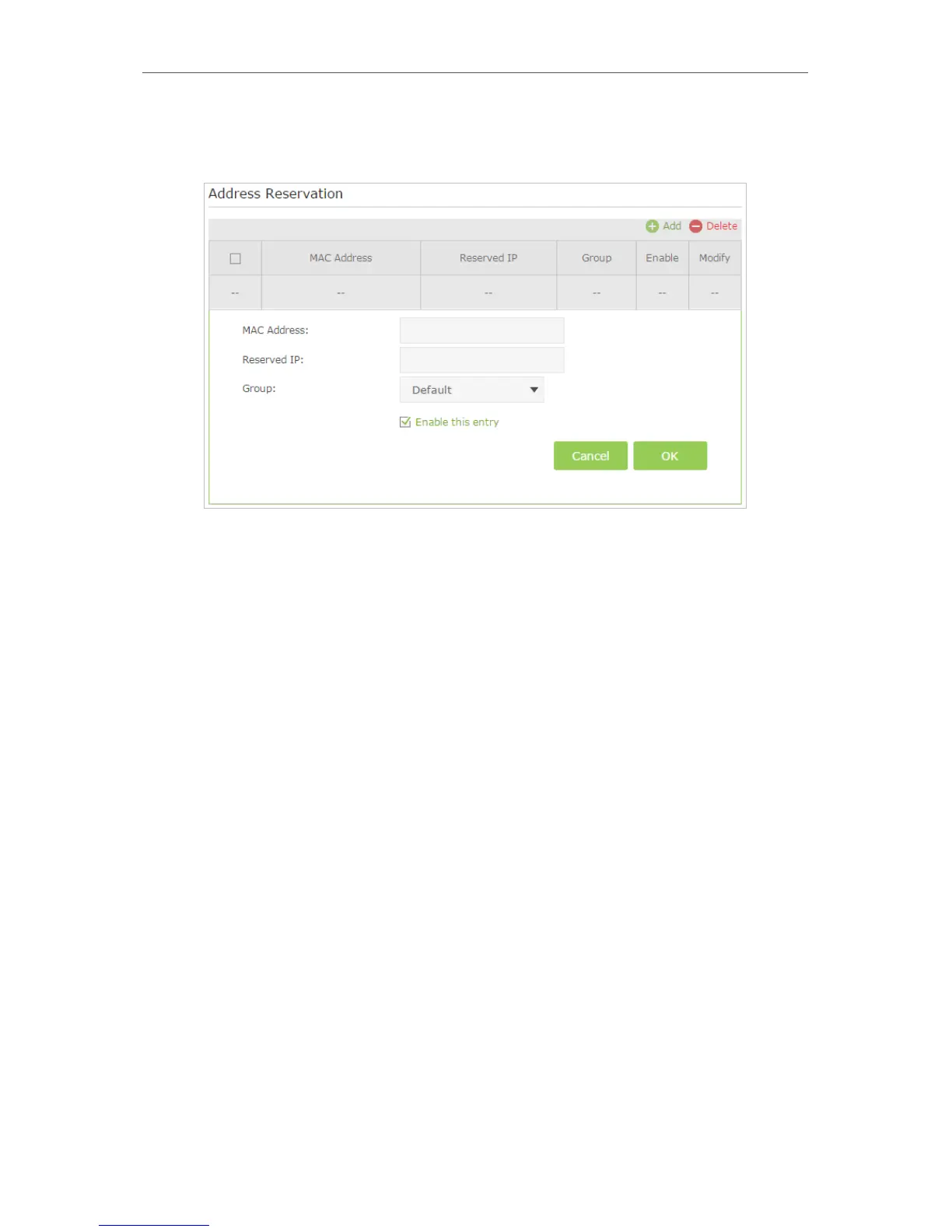
3. Scroll down to locate the Address Reservation table and click Add to add an address
reservation entry for your device.
4. Enter the MAC address of the device for which you want to reserve IP address.
5. Specify the IP address which will be reserved by the router.
6. Check to Enable this entry and click OK to make the settings effective.
11. 4. Wireless Settings
11. 4. 1. Specify Basic Wireless Settings
The router’s wireless network name (SSID) and password, and security option are preset
in the factory. The preset SSID and password can be found on the product label. You
can customize the wireless settings according to your needs.
Visit http://tplinkmodem.net, and log in with the password you set for the router. Go to
Basic > Wireless page.














 To Next Page