89
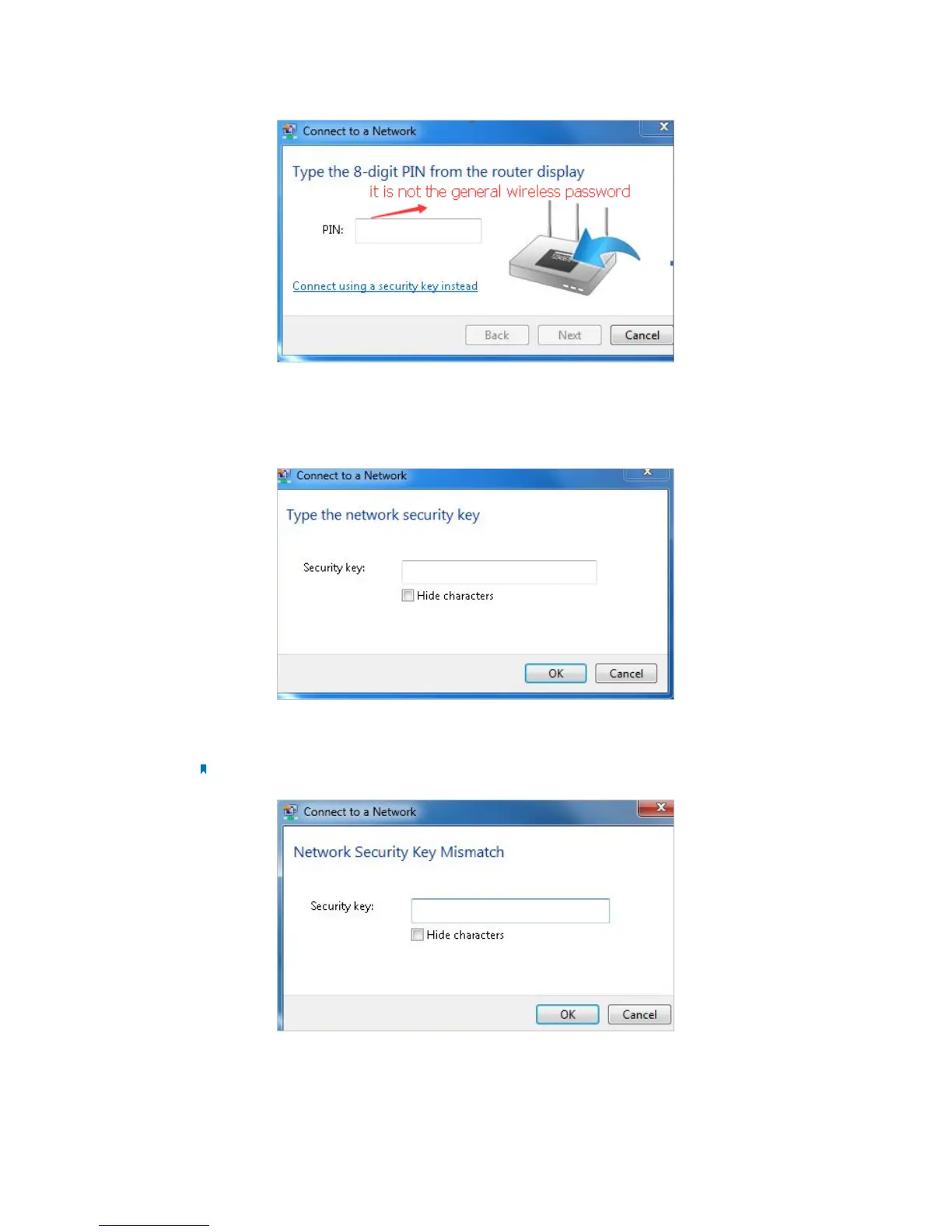
2 ) If you cannot find the PIN or PIN failed, you may choose Connecting using
a security key instead, and then type in the Network Security Key/Wireless
Password;
3 ) If it continues saying network security key mismatch, it is suggested to confirm
the wireless password on your wireless router/modem;
Note: Wireless password/Network Security Key is case-sensitive.
4 ) Connect to wireless network.
2. Windows was unable to connect to XXXX /Cannot join this network/Taking longer
than usual to connect to this network.














 To Next Page