13
How to Reset Your Smart Button
Watch videos at https://www.tp-link.com/support/download/tapo-s200b/
Option 2. Via the Tapo App
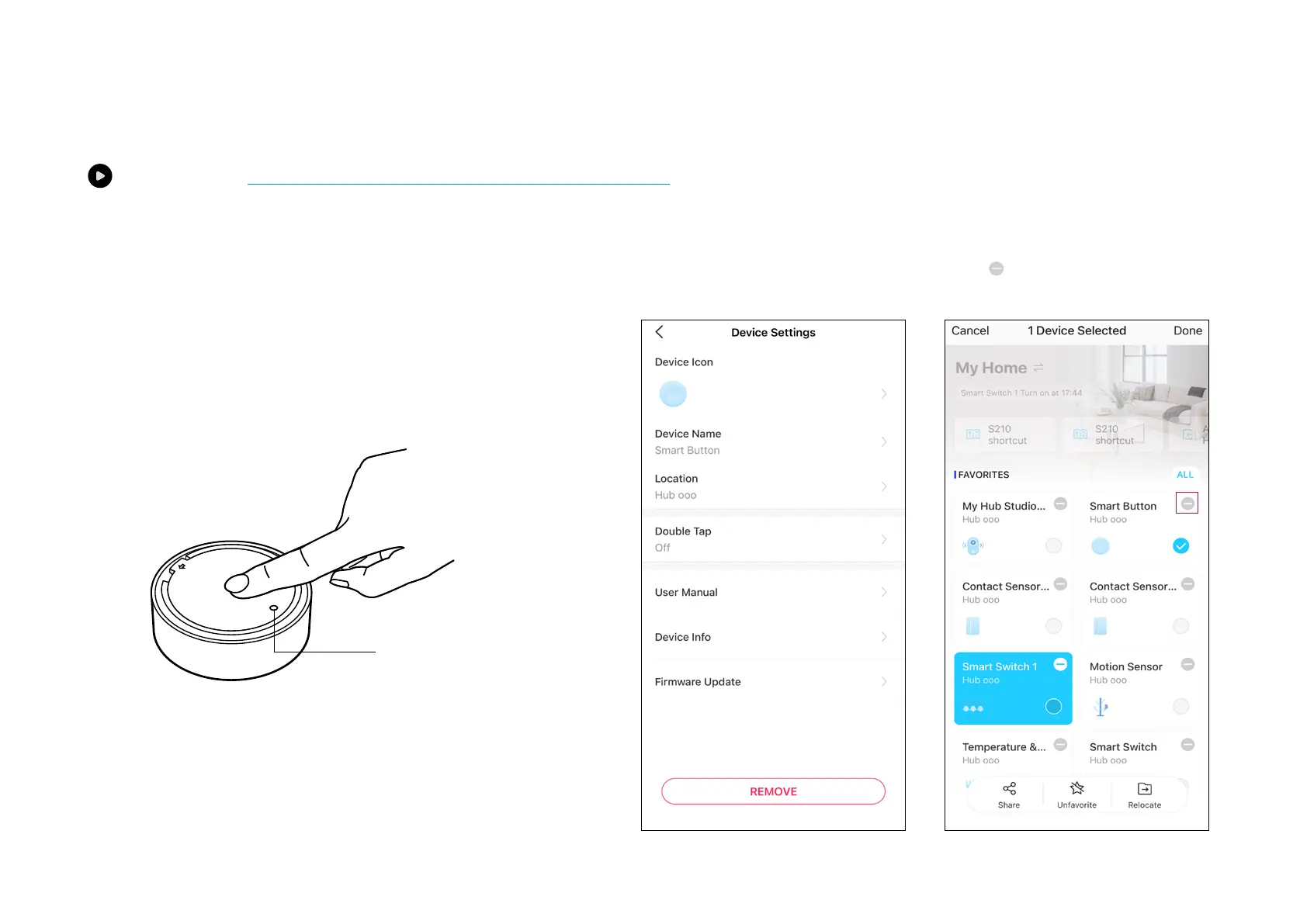
Long press the card on the home page and tap or go to the Device Settings
page and tap the Remove button to remove your device from your account.
OR
Option 1. Via the Button
a. Press and hold the button for 5 seconds. The LED will become
yellow-green for 10 seconds.
b. Quickly press the button 3 times within that 10 seconds.
c. The LED should start blinking.



 To Next Page