7
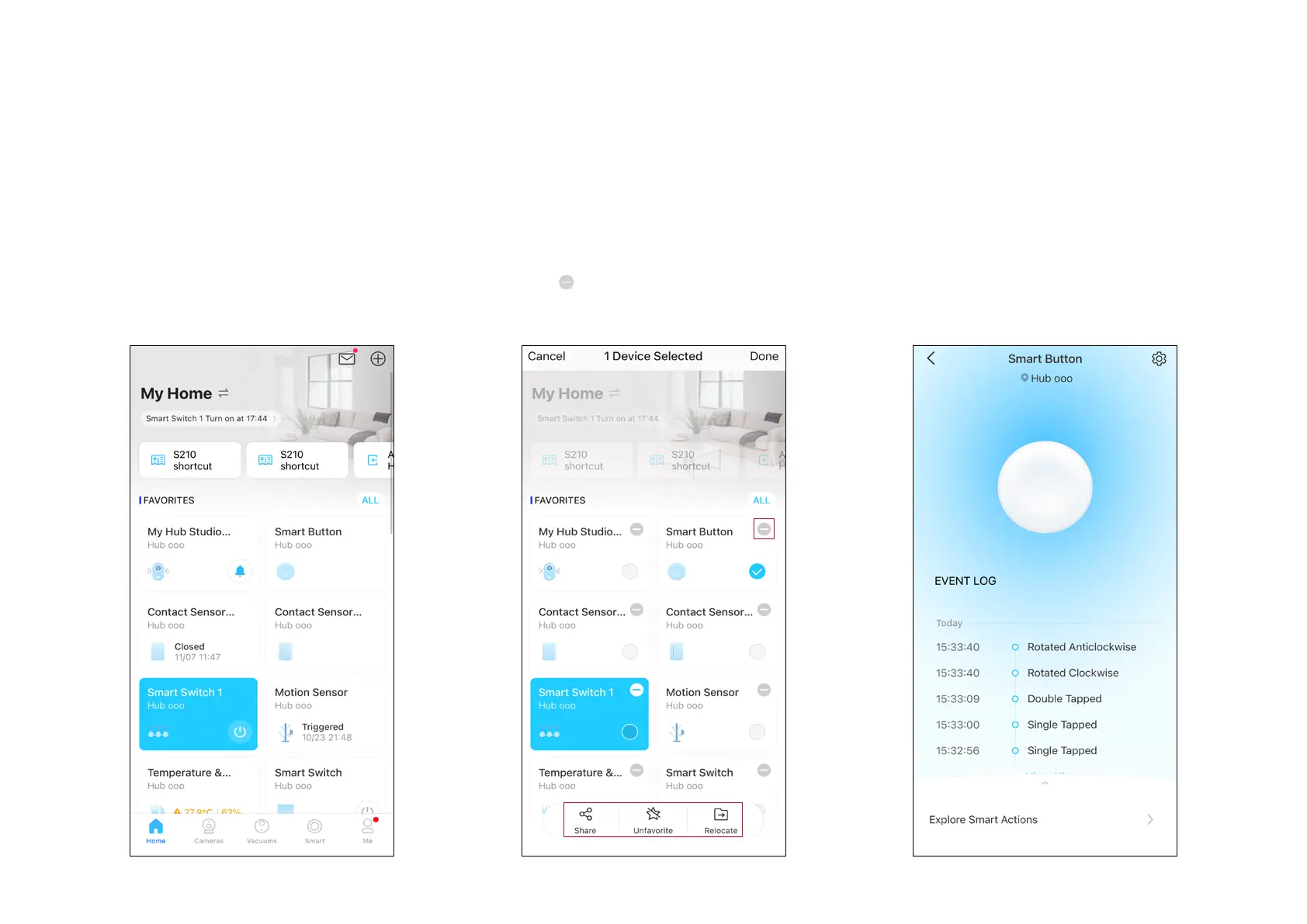
Home Page Settings
Long press on a card, then you can reorder
cards, tap
to remove your device from your
account, share your device, favorite/unfavorite
device, or relocate your device to other Home.
Status Page
You can check all events of you device. Slide
the panel up to check more settings or tap the
gear icon to enter the Settings page.
Use Your Smart Button
After you successfully set up your hub and smart button, you will see your devices listed on the home page. With the Tapo app, you can view and
manage your devices and get instant notications anytime, anywhere.
Home Page
This page lists all the devices you've added
and you can view them directly and manage
them easily. Tap the card to enter its Status
page.


 To Next Page